Need help?
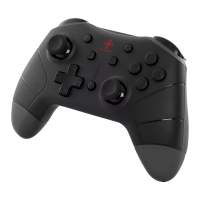
Do you have a question about the Deltaco Gaming GAM-169-T and is the answer not in the manual?
Important safety precautions to avoid electric shock, damage, or injury.
Adjust trigger sensitivity for digital (short distance) or analog (long distance) modes.
Control LED brightness and modes using button combinations.
Instructions for charging the controller and its automatic sleep mode.
Connect the controller wirelessly via Bluetooth to a PS4 console.
Connect controller wirelessly to PC and Nintendo Switch.
How to power off the controller and activate turbo mode.
Using the 3.5mm audio jack and understanding vibration/sensor features.
Update firmware and set up custom button macros.
Guidelines for cleaning, warranty information, and customer support.
 General
| Model | GAM-169-T |
|---|---|
| Type | Gamepad |
| Connectivity | Wireless |
| Interface | USB |
| Wireless Technology | 2.4 GHz |
| Buttons | 15 |
| Analog Sticks | 2 |
| D-Pad | Yes |
| Vibration Feedback | Yes |
| Compatibility | PC |


 To Next Page