EasyManua.ls Logo

Deltaco ARM-0300 - User Manual

Deltaco ARM-0300
12 pages
Print Icon
To Next Page IconTo Next Page
Loading...
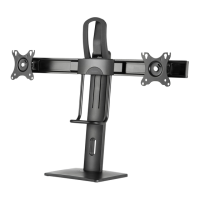
Monitor Desk Mount
ARM-0300
A N O R D I C B R A N D
ENG User manual
SPA Manual del usuario
SWE Användarmanual
FIN Käyttöopas
DAN Brugermanual
HUN Felhasználói kézikönyv
NOR Brukermanual
LIT Naudojimo instrukcija
LAV Lietošanas pamācība
EST Kasutusjuhend
DEU Benutzerhandbuchl
FRA Manuel d’utilisation
POL Instrukcja obsługi
NLD Gebruiksaanwijzing
OFFICE
Question and Answer IconNeed help?

Do you have a question about the Deltaco ARM-0300 and is the answer not in the manual?

Summary

Monitor Desk Mount

Step 1 a: Desk Clamp Assembly

Attach the clamp base to the desk edge using component C.

Step 1 b: Secure Clamp Mechanism

Fasten the clamp assembly to the desk using screws F and G.

Step 2: Arm and Pole Assembly

Connect arm sections (A) and attach to the central pole (B).

Step 3: Monitor Mounting

Attach monitors to the arms using VESA plates and screws M-A/M-B.

Step 4: Monitor Angle Adjustment

Adjust monitor tilt and swivel using screws and tool J.

Step 5: Joint Tightening

Tighten the joints of the monitor arms to ensure stability.

Step 6: Final Adjustments

Adjust the overall height and position of the monitors.

Deltaco ARM-0300 Specifications

General IconGeneral
BrandDeltaco
ModelARM-0300
CategoryTV Mount
LanguageEnglish

Related product manuals