Need help?
Do you have a question about the DeLUX M618Plus-wired and is the answer not in the manual?
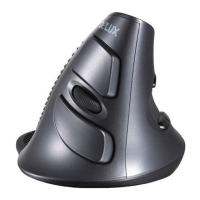
This document describes the Delux M618Plus-wired vertical mouse, a specialized input device designed for ergonomic comfort and customizable functionality.
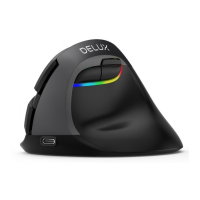
The Delux M618Plus-wired is a vertical mouse that connects to a computer via a USB port. It is designed to provide a more natural hand and wrist position, aiming to reduce fatigue during prolonged use. The mouse is available in two variants: one with floating RGB lights and another with a single color.
The mouse features a total of 7 programmable buttons (G1-G7) for customization. These include:
The DPI (Dots Per Inch) sensitivity, cursor speed, and scanning frequency are adjustable. For the RGB variant, various lighting modes are available, including:
Installation: To install the mouse, simply plug its USB connector into an available USB port on your computer. The mouse should be automatically detected and start functioning normally.
Driver Installation (for RGB variant only):
For the RGB variant, a dedicated software driver is provided to customize button functions and lighting effects. The software can be downloaded from the following link: http://www.deluxworld.com/en/service/download/. It is crucial to ensure the mouse is connected to the computer during driver installation.
Driver Setup Instructions: After successful driver installation, users can access the settings screen to configure the mouse's functions.
Button Customization (Personalization): Users can assign up to 10 different functions to each of the 7 programmable buttons (G1-G7). For general mouse functions, there are 11 different options to choose from. Note that the "Left click" function cannot be initially assigned to a button; it must first be assigned to another button before it can be reconfigured.
Performance Settings: The software allows users to adjust the mouse's performance parameters, including DPI sensitivity, cursor speed, and scanning frequency.
Lighting Settings (for RGB variant only): The RGB variant offers several lighting modes, allowing users to customize the visual appearance of the mouse. Brightness and speed of the lighting effects can also be adjusted in certain modes.
Macro Assignment: The mouse supports macro functionality, enabling users to record and assign sequences of actions to buttons.
Troubleshooting Tips: If the mouse is not functioning correctly, consider the following troubleshooting steps:

 To Next Page
 General