5. MONITOR
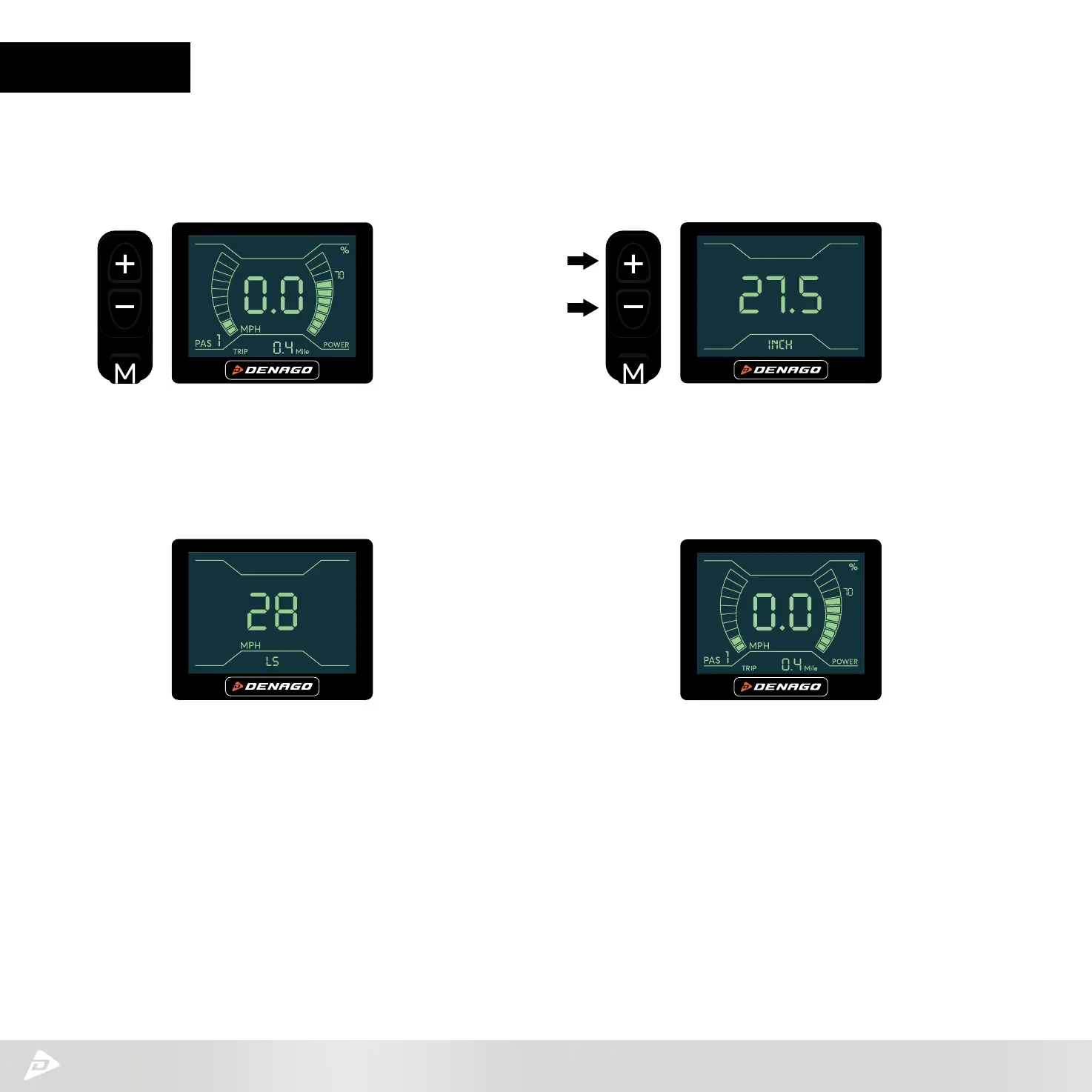
STEP 0 – Locate the HMI - Human Machine Interface.
STEP 1 – Press M (MODE) button to engage screen.
STEP 2 – Press + - (UP/Down) simultaneously for 2-4 seconds
until screen flashes and goes to setting interface.
STEP 3 – First screen to pop up is wheel size.
Press M (MODE) to go to next screen.
The following instructions will outline how you set the MAX Speed in Pedal Assist (PAS) level 5.
Once this is set it will adjust each of the other levels by a preset percentage.
STEP 4 – Limited Speed mode - (LS) this is where you
can adjust MAX speed.
Use the + - (UP/Down) to adjust MAX limit.
Your range is 28 –11 mph as the lowest limit.
STEP 5 – Press M (MODE) for 2 seconds
to return to main screen. You are ready to ride.



 To Next Page