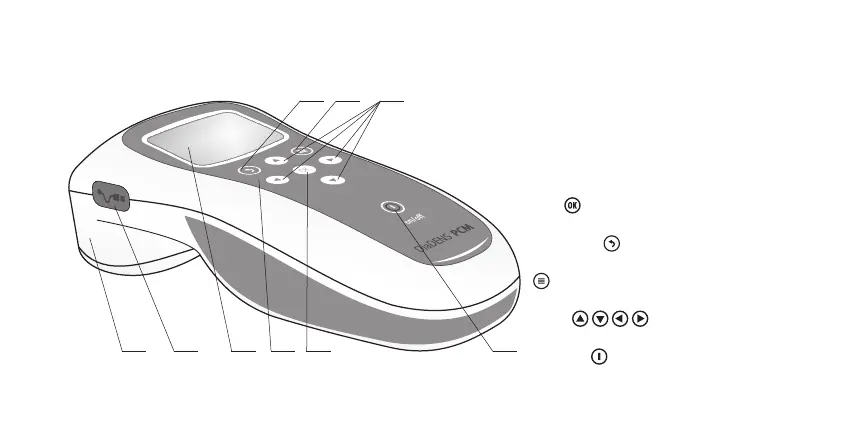
5. DEVICE ASSEMBLY
Fig. 1. The device Denas-PCM
(top view)
1. Body.
2. Socket for connection of external
electrodes (closed with cover).
3. Display — liquid-crystal display.
4. Keyboard.
5. Button for selection of menu
item .
6. Button of return to previous
menu item .
7. Button of return to main menu
.
8. Buttons for navigation in device’s
menu
.
9. Button for switching the device
on an o
ff°
.
1
7 86
4 52 3 9
20
Official webstores: www.denas-store.com & www.denashealthstore.com



 To Next Page