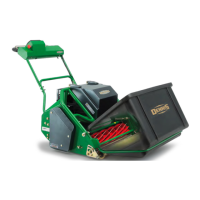
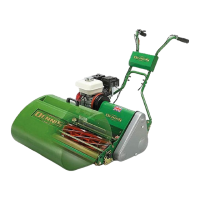
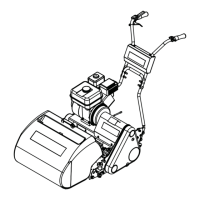
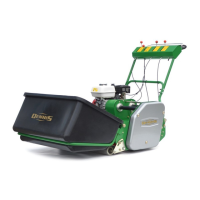
Need help?
Do you have a question about the Dennis E-SERIES ES-36 and is the answer not in the manual?
Operator training and familiarization with controls.
Pre-operation inspection of work area and equipment.
Safe and effective mower operation guidelines.
Prohibited actions to prevent hazards.
Recommended practices for safe operation.
Physical measurements of the ES-36.
Details of roller and cylinder drive systems.
Battery and electrical component specifications.
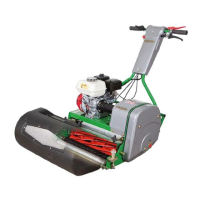
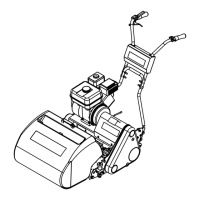
Identification of main electrical and mechanical parts.
Identification of controls on the handle assembly.
Function and operation of key switch and start button.
Explanation of operator presence control system.
Operation and engagement of the parking brake.
Overview of main display screen and functionalities.
Step-by-step guide for starting the machine.
Controls for cylinder engagement and disengagement.
Controls for roller engagement and disengagement.
Adjusting mower turning speed.
Adjusting mower forward speed.
Main interface for mower operation and status.
Access to speed, log, and battery settings.
Configuration of machine name, time, and brightness.
Interface for tracking maintenance checks.
Choosing between default and user-defined clip rates.
Access to manual, FAQs, and contact information.
Navigation hub for accessing screens and functions.
Access to default speeds, trip logs, and battery info.
Options for machine name, date/time, and password.
Tracking daily, monthly, and yearly maintenance checks.
Access to manuals, FAQs, and contact info.
Detailed view of operations screen functions.
Detailed view of machine settings functions.
Detailed view of maintenance screen functions.
Detailed view of clip rate selection options.
Detailed view of information screen functions.
Access to factory configuration and reset options.
Wiring for roller drive motor.
Wiring for cylinder drive motor.
Main electrical box and its connections.
Battery connection details.
Wiring within the main electrical box.
Connections for the display unit.
Wiring for the emergency stop button.
Wiring for deadman's handle microswitch.
Connecting charger to power source.
Connecting charger to mower's port.
Steps to initiate charging process.
Understanding charger light indicators.
Common questions on starting the mower.
How to adjust clip rate and RPM settings.
Adjusting default forward and turning speeds.
Procedure for cylinder backlapping.
Explanation for daily checks prompt.
Troubleshooting parking brake indicator.
Information about the default password.
Adjusting mower cutting height.
Methods to verify set cutting height.
Step to access adjustment mechanism.
Adjusting shear blade carrier using hex bosses.
Moving shear blade carrier arm.
Adjusting clevis fork for shear blade alignment.
Adjusting shear blade using cam bolt.
Using micro-adjuster system for shear blade setting.
Using thin paper to verify shear blade adjustment.
Warning: cylinder too close to bottom blade.
Checking roller timing belt for wear and tension.
Checking cutting timing belt for wear and tension.
Inspecting motor casings and power cable connections.
Visually checking battery casing for damage.
Inspecting cables for damage and plug connections.
Inspecting blades for wear or damage.
Maintenance schedule for lubrication points.
Keeping machine clean, dry, and free from elements.
Smearing grease on blades for long-term storage.
Disconnecting battery for storage over one month.
Essential safety guidelines for battery handling and operation.
Technical details of battery type and capacity.
Recommended temperature range for operation and storage.
Information on battery warranty coverage.
Procedures for returning batteries at end-of-life or faulty.
List of standards battery system complies with.
Steps to resolve issues with mower not powering up.
Troubleshooting screen switching off after loading.
Resolving issues with parking brake indicator.
Checking mechanical brake and microswitch.
Troubleshooting 'Please Hold Deadman Handle' errors.
Steps to diagnose charging issues.
Troubleshooting charger lights.
Resolving BMS communication errors.
Troubleshooting motor communication errors.
 General
| Deck Material | Steel |
|---|---|
| Self-Propelled | Yes |
| Mulching Capability | Yes |
| Bagging Capability | Yes |
| Cutting Width | 36 inches (91 cm) |
| Weight | 150 lbs |


 To Next Page