EasyManua.ls Logo

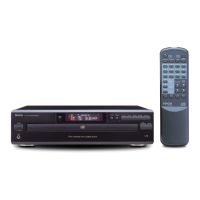
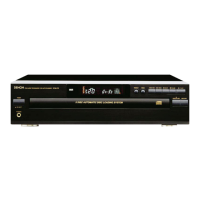
Denon DCM-260 - Component Identification; Front Panel Parts and Functions

Denon DCM-260
35 pages
Print Icon
To Next Page IconTo Next Page
To Previous Page IconTo Previous Page
Loading...
NAMES
OF
PARTS
AND
THEIR
FUNCTIONS
FRONT
PANEL
Power
Switch
{(POWER)
e
Press
this
button
to
switch
on
the
power.
@
When
tha
power
is
turned
off,
the
unit
is
set
to
the
standby
mode.
If
the
power
is
turned
off
during
playback
or
while
the
disc
information
is
displayed
on
the
time
display,
several
seconds
after
the
power
is
turned
back
on,
the
number
of
the
disc
ap-
Pears
on
the
disc
number
display,
the
total
number
of
tracks
‘on
that
disc
is
displayed
on
the
track
number
display,
and
the
total
time
is
displayed
on
the
time
display,
and
approximately
Automatic
/
Manual
Search
Forward
Button
(>>
/
>i)
@
Press
this
button
10
move
the
pickup
lorward
to
the
begin-
ning
of
the
next
track.
Prass
again
to
move
ahead
to
other
tacks.
©
By
pressing
the
bulton
a
number
of
mes,
the
pickup
will
ad-
vance
the
corresponding
number
of
tracks.
©
Keep
on
pressing
this
button
for
more
than
0.5
seconds
dur-
ing
playback
for
(ast
forward
search.
As
long
as
the
button
1s
kept
pressed,
music
signals
are
playod
back
fastur
than
not-
1
second
later
playback
starts.
mal.
@
Keep
on
pressing
this
bution
for
more
than
0.5
seconds
[2]
Loading
drawer
when
the
pause
mode
is
engaged,
you
can
quickly
forward
©
Discs
can
be
loaded
and
unloaded
when
this
drawer
is
open
the
pickup
toa
dasired
position,
three
timas
faster
compared
Do
not
force
the
drawer
closed
by
hand.
to
manual
forward
seatch
during
playback,
Dunng
this
ume,
no
sound
is
heard.
©
Open/Close
Button
(4
OPEN/CLOSE}
©
Press
this
button
when
opening.
@
Repeat
Button
(REPEAT)
©
The
drawer
is
opened
toward
the
front.
©
Press
this
button
for
repeated
playback.
The
[REPEAT
]
neica-
©
Press
the
button
again
to
close
the
drawer.
tot
appears
on
the
display.
The
following
three
types
ol
1e-
peat
modes
are
available:
4]
Play
Button
(p>
PLAY)
®
Whenpressed
once,
the[
REPEAT
Jand[1}
indicators
hight
and
®
Press
this
button
to
play
a
disc.
the
track
currently
playing
is
repeated
The
[>]
indicator
lights
up
when
the
button
is
pressed,
the
@
When
pressed
agai,
the
(REPEAT)
and
(1
DISC]
mndica-
REAR
PANEL
number
of
the
disc
and
the
track
being
played
is
displayed
by
tors
light
and
all
the
tracks
on
the
disc
currently
playing
ato
the
Disc
Number
snd
Track
No.
indicator,
and
the
amount
of
repeated.
elapsed
time
for
the
currant
track
is
displayed
by
the
Time
in-
©
When
pressad
again,
the
(REPEAT)
and
{ALL
UiSC_}
indica.
dicator.
tors
light
and
all
the
discs
currently
sot
on
the
Way
ara
re
©
The{P)
indicator
goes
off
after
playing
of
the
final
rack
of
the
peated.
finai
disc
is
finished
and
the
player
stops.
@
When
pressed
again,
the
and
indica:
tors
turn
off
and
the
repeat
mode
ts
cancetied.
Stop
Button
(mi
STOP}
Tho
repeat
tunction
can
also
be
used
during
programmed
©
Press
this
button
lo
stop
play
and
random
playback,
but
in
this
case
only
tho
ail
1epeat
{CALL
BIST
}
indicator)
modos
are
avatlabia
1)
(6)
Pause
Button
{
Il
PAUSE)
(Reler
to
Page
11
torn
@)
©
Press
this
button
to
stop
play
temporarily.
@
Pressing
the
Pause
button
during
play
stops
play
temporarty
®
Random
Button
(RANDOM)
The
[B)
indicator
goes
olf
and
the
[Ii]
indicator
lights
up
©
Press
this
button
to
begin
random
play
®
Tocancel
the
Pause
state,
press
either
the
Play
bulton
©
or
®
Prassing
ths
button
during
stop,
end
press
play
bullon
play
press
the
Pause
button
@
a
second
time.
to
full
automatic
random
play.
©
Pressing
this
button
durng
playing
of
@
program
stalls
tan-
dom
play
of
the
tracks
in
the
program
{See
page
11,
tem
@)
°
Disc
trays
(1
~
5)
@
One
disc
per
ay
can
be
loaded.
Disc
skip
button
(DISC
SKIP)
3
; )
F
Display
Window
CAROUSEL
@
Each
time
this
button
is
pressed,
the
carousel
will
rotate
in
e
dit
Me
No.,
Track
No.,
playing
time
and
other
informwtion
a
clockwise
direction
to
the
next
tray
position.
This
allows
for
ate
displayed
inthe
display
window.
loading
ar
unloading
of
discs.
=
:
This
button
is
iso
used
to
select
the
next
disc,
in
the
normal
®
Remote
Control
Receptor
(REMOTE
SENSOR)
play
continuously.
©
This
receptor
receives
infrared
signals
from
the
wireless
se:
mote
contro!
unit.
19)
area
Search
Reverse
Button
@
Aimthe
wirsless
remote
control
unit
at
thts
receptor
window
'
7
when
operating
it
DISPLAY
©
Press
this
button
to
return
the
pickup
to
the
beginning
of
the
present
track.
Press
again
to
return
to
other
tracks.
®
Headphone
Jack
(PHONES)
Play
Indicator
Disc
Number
©
By
pressing
the
button
a
number
of
times,
the
pickup
will
©
Insert
the
jack
of
the
headphones
when
deswing
to
listen
to
Pause
Indicator
Track
Number,
move
back
the
corresponding
number
of
tracks.
a
disc
privately.
(Headphones
are
sold
separately.)
Dise
Indicator
gy
@
Keep
on
pressing
this
button
tor
more
than
0.5
seconds
dur-
{
J
ing
playback
for
fast
reverse
search.
As
long
as
the
button
1s
®
Output
Terminal
rn
ni
eee
kept
pressed,
music
signals
are
played
back
faster
than
nor-
©
Connect
the
connection
cords
from
thuse
Ierminals
to
the
mal
amplitrer’s
input
termunais.
(See
page
8
for
connections.)
®
Keep
on
pressing
this
button
for
more
than
0.5
seconds
when
the
pause
mode
is
engaged,
you
can
quickly
reverse
the
pickup
toa
desired
position,
three
times
faster
compared
to
manual
reverse
search
during
playback.
During
this
time,
Dise
Remaining
no
sound
ts
heard.
Time
Indicator
»22S08
2
9888.88.
REPEAT
1
ALL
DISC
RANDOM
PROGRAM
DIRECT
SINGLE
TOTAL
Note:
©
Do
not
stop
the
carousel
by
hand
when
itis
turning
If
thrs
1s
done,
the
microprocessor
erroneously
determines
the
disc
number
and
the
disc
can
be
damaged
Oerect
Indicator
Repeat
Indicator
Random
Indicator
Remote
control
signal
Program
Indicator
Amount
of
Current
Track
Recreve
indicator
Remaining
Time
Indicator
‘09e-INDG

Related product manuals