EasyManua.ls Logo

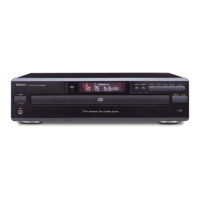
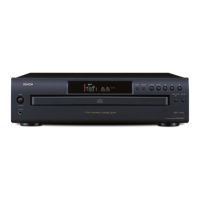
Denon DCM-390 - User Manual

Denon DCM-390
16 pages
Print Icon
To Next Page IconTo Next Page
Loading...
CD AUTO CHANGER
DCM-390
OPERATING INSTRUCTIONS
1.DCM-390_290_ENG_Last 06.4.13 4:33 PM Page 1

Other manuals for Denon DCM-390

Questions and Answers

  • S
    Stephanie AdamsAug 14, 2025
    What to do if Denon DCM-390 CD Player disc is dirty or scratched?
    • B
      Brian DunnAug 14, 2025
      If your Denon CD Player isn't playing properly, the disc might be dirty or scratched. Try wiping the dirt off the disc or replacing it with a new one.
  • N
    Nancy AllenAug 17, 2025
    Why is there no sound from my Denon DCM-390 CD Player? Check amplifier settings?
    • M
      michellekimAug 17, 2025
      If you're having trouble with your Denon CD Player's sound output, the amplifier's function settings or adjustments may be incorrect. Check the amplifier’s function and controls and adjust as necessary.
  • D
    Daniel WilliamsAug 20, 2025
    Why Denon DCM-390 remote is not working? Check/replace batteries?
    • S
      Scott OlsenAug 21, 2025
      If your Denon CD Player remote isn't working, the batteries may be dead. Replace the batteries with new ones.
  • A
    Austin RamirezAug 25, 2025
    What to do if Denon DCM-390 CD Player disc is not properly loaded?
    • M
      Michelle Briggs MDAug 25, 2025
      If your Denon CD Player isn't reading the disc, it might not be properly loaded or the loaded disc is not a CD. Reload the disc.
  • D
    David WheelerAug 27, 2025
    What to do if Denon DCM-390 remote control unit is too far from the set?
    • S
      Susan ZhangAug 28, 2025
      If your Denon CD Player remote isn't working, the remote control unit may be too far from the set. Move the remote control unit closer to the set.
  • O
    ortizbrittanyAug 31, 2025
    What to do if Denon DCM-390 CD Player loaded disc is not a CD?
    • A
      Adam HowardAug 31, 2025
      If your Denon CD Player isn't playing, ensure you've loaded a CD, as the loaded disc may not be a CD.
  • S
    Stephanie SalazarSep 3, 2025
    What to do if Denon DCM-390 CD Player disc has not been finalized?
    • M
      Melinda JenkinsSep 3, 2025
      If your Denon CD Player isn't playing a recorded disc, it might not have been finalized. Finalize the disc then play it.
  • P
    Paul DudleySep 6, 2025
    Why Denon DCM-390 recording conditions are bad or the quality of the disc itself is poor?
    • C
      courtneywoodSep 6, 2025
      If your Denon CD Player is having trouble playing a disc, it could be due to poor recording conditions or the disc quality itself. Use a properly recorded disc.
  • M
    Michael LynchSep 10, 2025
    What to do if Denon CD Player selected file is copyright-protected?
    • J
      Jaclyn WilliamsSep 10, 2025
      If your Denon CD Player isn't playing a selected file, it might be copyright-protected or unplayable. Use the 8/6 or 7/9 button on the main unit (the 8 or 9 button on the remote control unit) to select a different file.

Summary

Safety Precautions

Risk of Electric Shock - Do Not Open

Warning about not opening the unit to avoid electric shock and referring servicing to qualified personnel.

Fire and Electric Shock Prevention

Instruction to protect the appliance from rain or moisture to prevent fire or electric shock.

Hazardous Radiation Exposure Caution

Warning against improper adjustments leading to hazardous radiation exposure.

Disc Information and Handling

Usable Discs and File Formats

Details on compatible discs and MP3/WMA file playback requirements.

Disc Cautions and Cleaning

Cautions on Loading Discs

Warnings about loading cracked, warped, or damaged discs.

Cautions on Disc Handling

Advice on handling discs to prevent fingerprints, scratches, and bending.

Remote Control Unit Operation

Inserting the Batteries

Step-by-step guide for inserting batteries into the remote control.

Battery Handling Notes

Important notes regarding battery replacement and handling.

Remote Control Operating Range

Information on the effective range and angle for remote control operation.

Front Panel Functions

Power Switch and Remote Sensor

Explanation of the power switch and the remote control signal receiver.

Display Indicators

Description of various indicators shown on the display.

Rear Panel and Remote Control Layout

Connecting the Unit

Basic Operation: Power and Disc Loading

Playback Functions

Advanced Playback Modes

Playback Modes and Other Functions

Troubleshooting Common Issues

Disc Tray and Playback Problems

Solutions for issues like disc tray not opening or no playback.

Audio Output and Connection Issues

Troubleshooting no sound, distorted sound, or no digital signals.

Playback and Compatibility Problems

Resolving issues with programmed playback or unplayable discs.

Remote Control and File Playback Errors

Troubleshooting remote control issues and file format errors.

Technical Specifications

Denon DCM-390 Specifications

General IconGeneral
BrandDenon
ModelDCM-390
CategoryCD Player
LanguageEnglish

Related product manuals