EasyManua.ls Logo

Denon DN-F450R - User Manual

Denon DN-F450R
52 pages
Print Icon
To Next Page IconTo Next Page
Loading...
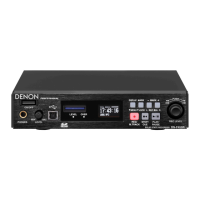
SOLID STATE RECORDER
DN-F450R
Owner’s Manual

Table of Contents

Other manuals for Denon DN-F450R

Questions and Answers

  • S
    Scott FieldsAug 18, 2025
    What to do if Denon Recording Equipment cannot perform playback or recognize a file?
    • C
      Christine WilkinsonAug 18, 2025
      If your Denon Recording Equipment isn't playing files or recognizing them, try these steps: * Copy the file to another SD card and try again, as the SD card itself may be the issue. * Confirm that the unit supports the format of the file you're trying to play. * Ensure the target folder is located directly under the root folder of the SD card, as the unit only recognizes folders in this location. * Make sure the number of folders does not exceed 32, as the unit can only recognize up to 32 folders.
  • J
    Jennifer GarrisonAug 20, 2025
    What to do if Denon Recording Equipment cannot read the files on a computer?
    • L
      Laura MooreAug 20, 2025
      If your computer can't read the files from the Denon Recording Equipment, check the functions of the computer program. Some playback and editing programs may not support the recording format of this unit. If the unit is unstable, turn off the power and disconnect the power cord, then restart the unit.
  • L
    Leslie MannAug 23, 2025
    What to do if Denon Recording Equipment cannot perform recording?
    • K
      Kathleen PerezAug 23, 2025
      If your Denon Recording Equipment isn't recording, the SD card could be the cause of this trouble. Replace the SD card with another one and retry.
  • M
    Mackenzie NorrisAug 26, 2025
    Why does my Denon Recording Equipment not turn on?
    • L
      linda99Aug 26, 2025
      If your Denon Recording Equipment isn't powering on, ensure the power cord is securely connected to the AC adapter. Also, verify that the unit is being operated as described in the owner’s manual and that any external devices like mixers or players are functioning correctly.
  • M
    millerjamesAug 28, 2025
    Why is there a loud noise in the recorded file on my Denon Recording Equipment?
    • M
      Megan OwensAug 28, 2025
      If you notice a loud noise in your recorded files, check the level meter and Level Over Display (LEVEL) to ensure the recording level does not exceed 0dB. Also, verify that the electrical contacts of the cable connections are secure.
  • C
    Christopher HowellAug 30, 2025
    How to fix sound cutoffs during recording to an SD card on Denon Recording Equipment?
    • M
      miguel10Aug 30, 2025
      If you experience sound cutoffs while recording to an SD card, it might be because the card was formatted on a computer. When using an SD card with this unit, make sure to format the card on this unit.
  • S
    Scott BeckSep 2, 2025
    Why is there no sound from headphones connected to my Denon Recording Equipment?
    • J
      joyrubioSep 2, 2025
      If you're not getting any sound through your headphones, first ensure that the headphone volume level adjustment switch (LEVEL) is not set to MIN. Also, check if sound is reproduced from the headphones by using another audio file or SD card.
  • A
    Anna PowellSep 4, 2025
    How to resolve poor sound quality for playback on a computer from Denon Recording Equipment?
    • K
      Kevin ArcherSep 5, 2025
      If you are experiencing poor sound quality when playing back files on a computer, check the quality of your computer's sound card and the program you are using. Also, check the frequency conversion program and consider using a higher quality sample rate converter.
  • A
    Adam GreeneSep 7, 2025
    Why is there no sound reproduced when playing back properly recorded music on Denon Recording Equipment?
    • N
      Nathan BentleySep 7, 2025
      If music was recorded properly but there's no sound during playback, ensure that the recording level (REC LEVEL) is not set to MUTE. Also, verify that the recording settings (such as input source) and all connections with external devices are correct. For example, make sure to set the audio input source for recording to "Unbalance" and connect an external device to the analog input (RCA) terminal. Otherwise, the unit will record the music in silent mode.
  • J
    Jorge JonesSep 9, 2025
    How to add a character during renaming on Denon Recording Equipment?
    • P
      Philip AllenSep 9, 2025
      If you cannot add a character while renaming a file, it means that the maximum number of characters has already been entered. To add a character, delete some of the existing characters first.

Summary

Safety, Compliance, and Usage Notes

General Safety Precautions

Essential safety warnings and operational precautions for safe use.

FCC Information and Declarations

Details regarding FCC compliance and product conformity statements.

Recycling and Disposal Guidance

Information regarding the proper recycling and disposal of the product and its components.

Getting Started

Product Overview and Features

Overview of the primary functions and capabilities of the DN-F450R.

Included Accessories

List of all accessories supplied with the DN-F450R unit.

Handling and Connection Precautions

Precautions for handling, installing SD cards, and making connections.

Device Layout and Settings

Part Names and Layout

Identification and explanation of controls and terminals on the front and rear panels.

Display Information and Settings

Customizing display, setting time/date, and checking firmware version.

Setting Defaults and Presets

Navigating menus, configuring presets, and managing device settings and data.

Recording Operations

Recording Setup and Management

Steps for selecting folders, setting up recording, managing files, and understanding recording capacity.

Playback Operations

Playback Navigation and Control

Procedures for selecting files, navigating, searching, and dividing recorded content.

Computer Interface and Control

USB Connectivity and Software

Connecting to a computer via USB and using the DMP Mark Editor software.

RS232 C Remote Control

Detailed commands and protocols for controlling the DN-F450R via RS232C interface.

Information and Troubleshooting

Error Messages and Solutions

A guide to understanding and resolving error messages encountered during operation.

Troubleshooting Common Issues

A comprehensive guide to diagnosing and resolving common operational problems.

Specifications

Technical Specifications

Detailed technical specifications of the DN-F450R, including audio, general, and physical characteristics.

Denon DN-F450R Specifications

General IconGeneral
Audio FormatsWAV, MP3
Sampling Frequency44.1kHz, 48kHz
Recording MediaSD/SDHC card
Bit Depth16-bit, 24-bit
Bit Rate (MP3)32 kbps - 320 kbps
Channels2 (Stereo)
Frequency Response20 Hz - 20 kHz
Input ConnectorsXLR, RCA
Output ConnectorsXLR, RCA, Headphone
PowerAC Adapter