EasyManua.ls Logo

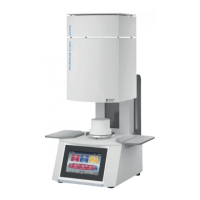
Dentsply Sirona Multimat Cube - User Manual

Dentsply Sirona Multimat Cube
40 pages
Print Icon
To Next Page IconTo Next Page
Loading...
Instruction Manual
Multimat
®
Cube
Multimat
®
Cube press

Questions and Answers

  • D
    david41Aug 18, 2025
    What to do if pressure has changed during pressing with Dentsply Sirona Multimat Cube?
    • S
      Sarah HollandAug 18, 2025
      If the pressure changes during pressing, causing the program to abort, it's likely due to incorrect pressing pressure during program execution. Check the compressed-air connector and adjust the pressure using the pressure reducer, as detailed in Section 4.4. Also, check the pressing result.
  • W
    William HoweAug 20, 2025
    What to do if pressure is too low with Dentsply Sirona Multimat Cube Power Tool?
    • J
      Joseph ReevesAug 20, 2025
      If the pressure is too low, which may affect the furnace temperature, it indicates that the required pressing pressure is not present. Check the compressed-air connector and adjust the pressure using the pressure reducer, as described in Section 4.4.
  • S
    Sandra SmithAug 23, 2025
    What to do if Dentsply Sirona Power Tool displays vacuum timeout error?
    • E
      Emily PhillipsAug 23, 2025
      If a vacuum timeout occurs and the program must be aborted, it means the target vacuum level was not reached, possibly due to a chamber seal or vacuum system leak. Perform a vacuum test and check the chamber seal and vacuum pump, as described in Section 3.3. If the error continues, contact Dentsply Sirona.
  • D
    Douglas OwenAug 26, 2025
    What to do if the Dentsply Sirona Multimat Cube Power Tool displays excessive controller temperature?
    • M
      Micheal LewisAug 26, 2025
      If the controller temperature is excessively high, especially with an extremely high standby temperature while the chamber is open, check the position of the firing chamber and adjust the base temperature as needed, according to Section 4.5.3. Turn the unit off, allow it to cool, and then turn it back on, as described in Section 4.1. If the error continues, contact Dentsply Sirona.
  • T
    Thomas RobertsonAug 28, 2025
    What to do if Dentsply Sirona Multimat Cube Power Tool displays self-test failed: Vacuum problem?
    • L
      Larry GillespieAug 28, 2025
      If the self-test fails due to a vacuum problem, it indicates no vacuum is present, possibly because the vacuum pump is not connected or is defective. Connect the vacuum pump as described in Section 3.3 and check the connections. If the error persists, contact Dentsply Sirona.
  • J
    Jennifer RussellAug 30, 2025
    What to do if Dentsply Sirona Multimat Cube displays self-test failed: Pressing system problem?
    • Y
      yjohnsonAug 30, 2025
      If the self-test fails due to a pressing system problem, it means the pressing plunger could not be extended. Connect the unit to compressed air as described in Section 3.3 and check the connections. If the error continues, contact Dentsply Sirona.
  • X
    xbrennanSep 1, 2025
    What to do if Dentsply Sirona Multimat Cube displays self-test failed: Temperature problem?
    • A
      Ashley HamiltonSep 1, 2025
      If the self-test fails due to a temperature problem, it indicates that the temperature does not increase, possibly because the heater or thermocouple is defective. Cycle the unit ON and OFF, as described in Section 4.1. If the error persists, contact Dentsply Sirona.
  • A
    Amy StricklandSep 3, 2025
    What to do if Dentsply Sirona Power Tool displays self-test failed: Lift problem?
    • J
      Jordan TylerSep 3, 2025
      If the self-test fails due to a lift problem, it means the final position was not reached, possibly because the lift is blocked or the limit switch is defective. Cycle the unit ON and OFF, as described in Section 4.1. If the error continues, contact Dentsply Sirona.
  • J
    Jason PenningtonSep 6, 2025
    What does it mean if Dentsply Sirona Power Tool displays a system error 0x407?
    • E
      Edward WalkerSep 6, 2025
      If a system error with code 0x407 occurs, it indicates an error in system communication. Restart the program. If the error continues, contact Dentsply Sirona.
  • S
    Samuel MartinSep 8, 2025
    What to do if Dentsply Sirona Power Tool displays pre-heating error?
    • A
      Andrea NavarroSep 8, 2025
      If a pre-heating error occurs, likely due to a timeout during pre-heating, cycle the unit ON and OFF, as described in Section 4.1. If the error continues, contact Dentsply Sirona.

Summary

Safety and Responsibility

1.1-1.2 Intended Use and Operator Qualifications

Defines unit purpose, users, and required qualifications for safe operation.

Safety and Responsibility (Continued)

1.4-1.5 Operator Obligations and Device Safety Symbols

Lists operator responsibilities and device-specific safety symbols for safe operation.

1.6-1.8 Ceramic Fibres, Transport, Storage, and Commissioning Safety

Covers safe handling of fibres, transport, storage, and commissioning safety measures.

Technical Description

2.1 Unit Components and Connections Overview

Provides a detailed overview of the unit's components and connections with labeled diagrams.

Technical Description (Continued)

2.4 Detailed Technical Specifications

Presents detailed technical data, dimensions, power, and operating parameters of the unit.

Unpacking and Commissioning (Continued)

3.3 Connecting the Unit to Power and Supplies

Details the steps for connecting the unit to power, vacuum, and air supplies.

Operation

Operation (Continued)

4.2.2 Initial Configuration: Language and Base Setup

Details language selection and physical base setup during initial configuration.

4.4 Setting and Adjusting Pressing Pressure

Details how to adjust and set the pressing pressure for specific operations.

4.6 Firing and Pressing Programs

4.6 Firing and Pressing Programs (Continued)

5 Troubleshooting

Heating and Temperature Error Troubleshooting

Lists causes and remedies for heating circuit, pre-heating, thermocouple, and excessive temperature errors.

Pressing System and Pressure Error Troubleshooting

Lists causes and remedies for pressing system errors and pressure issues during operation.

5 Troubleshooting (Continued)

Vacuum, System, Self-Test, and Power Failure Troubleshooting

Lists causes and remedies for vacuum, system, self-test, and power supply errors.

6 Maintenance and Cleaning

6 Maintenance and Cleaning (Continued)

Dentsply Sirona Multimat Cube Specifications

General IconGeneral
BrandDentsply Sirona
ModelMultimat Cube
CategoryPower Tool
LanguageEnglish