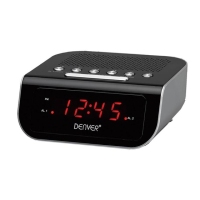
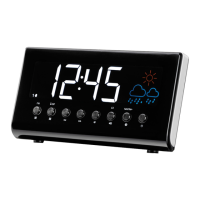
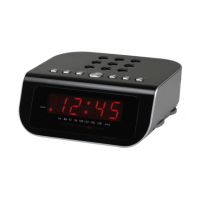
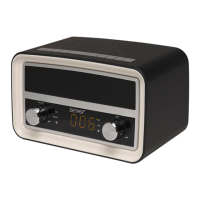
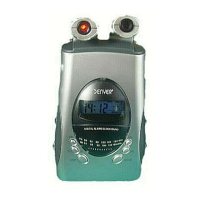
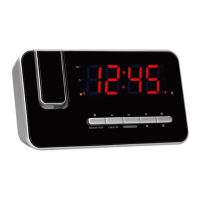
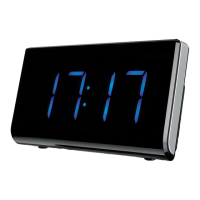
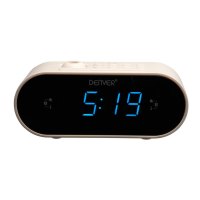
The Denver CPR-710 is an LED clock radio with projection capabilities, designed for ease of use and featuring several convenient functions. It serves as a multi-functional device, combining time display, alarm clock features, and a radio tuner.
Function Description:
The primary function of the CPR-710 is to display the time using a large, red LED display. It also incorporates an alarm clock, allowing users to set one or two independent alarms, which can be configured to sound either a buzzer or the radio. A key feature is its time projection capability, which allows the current time to be projected onto a surface, such as a wall or ceiling, for easy viewing without having to look directly at the display. The projection can be rotated 180 degrees for optimal viewing.
As a radio, the device includes an FM tuner, enabling users to listen to their favorite stations. It supports both automatic and manual tuning, as well as the ability to pre-set and recall up to 20 radio stations, making it easy to access preferred channels. The radio can also be used as an alarm sound.
For user comfort, the device offers adjustable display brightness, with options for high, middle, or off settings, catering to different lighting conditions and personal preferences, especially during nighttime. A snooze function is also included, allowing users to temporarily silence the alarm for a short period. Additionally, a sleep mode function is available, which will automatically turn off the radio after a set duration (10 to 90 minutes), ideal for falling asleep to music.
Important Technical Specifications:
While specific detailed technical specifications like power consumption for the LED display or speaker output are not explicitly listed in the provided pages, the manual does mention the following:
- Operating Frequency Range: FM 87.5 - 108MHz. This indicates the range of radio frequencies the device can tune into.
- Max Output Power: 0.5W. This refers to the maximum audio output power of the radio, suggesting it's designed for personal listening rather than high-volume output.
- Power Source: The device uses two 'AAA' size batteries for backup, ensuring that time settings are kept accurate during temporary power interruptions. The primary power source is not explicitly detailed but is implied to be mains power, given the mention of a power outlet for easy access.
- Antenna: An extendable and repositionable antenna is provided for best radio reception.
Usage Features:
The CPR-710 is designed with user-friendly controls.
- Setting Time: The time (hour and minute) can be set by long-pressing the "PRESET CLOCK" button (4) until the digits flash, then using the "TUNING - / HOUR" (6) and "TUNING + / MINUTE" (7) buttons to adjust, and finally confirming with "PRESET CLOCK" (4). This process can only be performed when the radio is turned off.
- Setting Alarms: Two independent alarms (AL.1 and AL.2) can be set. Alarm times are adjusted using "VOLUME - / AL.1" (2) and "VOLUME - / AL.2" (3) buttons, and hours/minutes are set with "TUNING - / HOUR" (6) and "TUNING + / MINUTE" (7) buttons. Confirmation is done with the respective volume buttons. Alarms can be set to activate with a buzzer or the radio.
- Activating/Deactivating Alarms: Alarms are activated by pressing "VOLUME - / AL.1" (2) or "VOLUME - / AL.2" (3) to select the desired alarm type (buzzer or radio). To deactivate an alarm, the "U / AUTO SCAN" (1) button is used.
- Snooze Function: The "SLEEP / SNOOZE / DIMMER" (5) button activates the snooze.
- Display Brightness: Long-pressing the "SLEEP / SNOOZE / DIMMER" (5) button cycles through high, middle, or off display brightness settings.
- Time Projection: The "Projection ON/OFF" button (9) controls the projection. The "Projection 180° FLIP" button (8) rotates the projected time.
- Radio Operations:
- Turn On/Off: The "U / AUTO SCAN" (1) button.
- Automatic Tune: Long-press "TUNING - / HOUR" (6) or "TUNING + / MINUTE" (7).
- Manual Tune: Repeatedly press "TUNING - / HOUR" (6) or "TUNING + / MINUTE" (7).
- Auto Pre-set Stations: Press and hold "U / AUTO SCAN" (1) when the radio is on.
- Manual Pre-set Stations: After selecting a station, long-press "PRESET CLOCK" (4), then use "TUNING - / HOUR" (6) or "TUNING + / MINUTE" (7) to select a station number (1-20), and confirm with "PRESET CLOCK" (4).
- Recall Pre-set Stations: Repeatedly press "PRESET CLOCK" (4).
- Sleep Mode: The "SLEEP / SNOOZE / DIMMER" (5) button activates sleep mode for 10-90 minutes.
- Volume Control: "VOLUME - / AL.1" (2) or "VOLUME + / AL.2" (3) buttons adjust the volume.
Maintenance Features:
The manual includes important safety information that indirectly relates to maintenance and proper handling to ensure longevity:
- Product Safety: This product is not a toy and should be kept out of reach of children and pets to avoid choking and swallowing hazards.
- Battery Handling: Users are advised to use old and new batteries or different types of batteries together. Batteries should be removed when not in use for a longer period. Correct polarity (+/-) must be observed when inserting batteries to prevent explosion. Non-rechargeable batteries are not included.
- Temperature and Storage: Operating and storage temperature is from 0 to 40 degrees Celsius. Extreme temperatures can affect the function.
- Electrical Safety: The product should not be opened, as touching inside electrics can cause electric shock. Repairs or service should only be performed by qualified personnel.
- Environmental Conditions: Do not expose the device to heat, water, moisture, or direct sunlight.
- Hearing Protection: Users should protect their ears against loud volume, as loud volume can damage hearing.
- Water Resistance: The unit is not waterproof. If water or foreign objects enter the unit, it may result in fire or electric shock. If this occurs, stop use immediately.
- Power Cable: The direct power cable is used as a disconnect device, so the disconnect device should remain readily operable. There should be space around the power outlet for easy access.
- Product Functionality: Users should not use non-original accessories together with the product as this can make the product functionality abnormal.
The device also carries the CE mark, indicating compliance with Directive 2014/53/EU, and a crossed-out trash can symbol, signifying that it should not be disposed of with other household waste but should be recycled separately. This aligns with environmental maintenance practices.

 Need help?
 General

 To Next Page