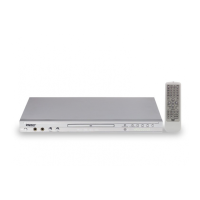
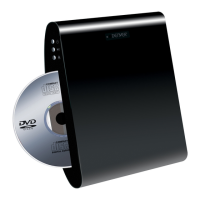
This document provides a comprehensive instruction manual for the Denver DVD player, models DVH-7787 MK3 and DVH-7787 MK3UK. It covers important safeguards, antenna setup, service information, safety guidelines, and detailed operational instructions for both the front panel and the remote control, along with various connection methods.
Function Description
The Denver DVD player is designed for playing DVD and CD discs, as well as media files from a USB drive. Its primary function is to provide audio and video playback for entertainment purposes. The device supports multi-angle DVD recordings, allowing users to select different viewing angles where available. It also offers subtitle selection for DVDs and various video modes. For audio playback, it supports different mono and stereo settings. The player includes a program function for both CD and DVD, enabling users to create custom playback sequences.
Usage Features
The DVD player offers a range of features to enhance the user experience:
- Disc Playback: The device supports standard DVD and CD playback. When a disc is inserted into the CD DOOR, it will automatically begin playing if no USB device is connected.
- USB Playback: The player can access and play media files from a USB drive inserted into the USB port. If both a disc and a USB drive are present, the disc takes priority. Users can switch between DISC and USB modes via a selection window accessed by the USB button on the remote control.
- Front Panel Controls: The front panel includes essential controls such as OPEN/CLOSE for the disc tray, PLAY/PAUSE, and STOP buttons for basic playback control. A STANDBY button is also present for power management.
- Remote Control Operation: The remote control provides extensive functionality:
- Power Management: The POWER button toggles the unit between standby and operational modes.
- Navigation and Selection: Directional buttons (UP, DOWN, LEFT, RIGHT) and an ENTER button are used to navigate menus and confirm selections. Numeric buttons (0-10+) allow for direct input, such as selecting specific titles, chapters, or tracks.
- Playback Control: Dedicated buttons for PLAY/PAUSE, STOP, PREV, NEXT, REV (reverse), FWD (fast forward), and STEP (frame-by-frame advance) offer precise control over media playback.
- Display and Audio Settings:
- ANGLE: For multi-angle DVDs, this button cycles through available viewing angles.
- SUBTITLE: Allows selection of different subtitle tracks for DVDs.
- VIDEO: Switches between various video output modes.
- VOL +/-: Adjusts the audio volume level.
- MUTE: Toggles sound on and off.
- L/R: Changes audio output to Mono L, Mono R, Mix Mono, or Stereo, depending on the disc type.
- OSD (On Screen Display): Displays or hides playing status information.
- Menu and Setup Access:
- MENU: Returns to the disc's main menu page.
- TITLE: Returns to the disc's title page.
- SETUP: Enters the setup menu for configuring various player settings. The parental passcode for the setup menu is "8888".
- RETURN: Returns to the previous menu.
- Advanced Playback Features:
- GOTO: Allows direct navigation to specific titles, chapters, or time points for DVDs, or tracks and time points for CDs.
- REPEAT: Offers various repeat modes: "Repeat Chapter," "Repeat Title," "Repeat All" for DVDs, and "Repeat 1," "Repeat All" for CDs. A "Repeat Off" option cancels the repeat function.
- PROG (Program): Enables users to create a custom playback sequence of titles/chapters (DVD) or tracks (CD).
- A-B: Defines a starting and ending point for a section of media to be played repeatedly.
- ZOOM: Zooms in or out on the picture during movie playback.
- SLOW: Sets slow-motion playback speed.
- RESET: Resets the player to default settings.
- Connectivity: The player offers multiple output options for connecting to a TV or audio system:
- HDMI Output: For high-definition video and audio.
- SCART Output: A common European standard for audio and video.
- VIDEO Output (RCA): For composite video.
- LEFT/RIGHT Audio Output (RCA): For stereo audio.
- Digital Signal COAXIAL Output: For digital audio connection to an amplifier with a built-in digital audio decoder.
Maintenance Features
The manual emphasizes several aspects related to the maintenance and longevity of the device:
- General Care: Users are advised to keep the appliance clean and free from dust. Ventilation slots and openings should not be blocked to prevent overheating.
- Battery Replacement: For the remote control, only AAA batteries should be used. Users are instructed to check polarity when inserting batteries and to remove them if the system will not be used for an extended period.
- Troubleshooting: The manual includes a troubleshooting section to address common issues such as the remote control not working or the disc tray being stuck. It suggests checking batteries, ensuring proper remote control aiming, and attempting to open/close the tray.
- Professional Servicing: For any damage requiring service (e.g., damaged power cord, liquid spills, objects falling into the appliance, exposure to rain/water, abnormal operation, physical shock), users are explicitly instructed to unplug the appliance and refer servicing to qualified personnel. Attempting to service the appliance oneself is discouraged due to the risk of dangerous voltage and other hazards.
- Replacement Parts: When replacement parts are needed, service technicians are advised to use parts with the same characteristics as the original to prevent fire, electric shock, or other hazards.
- Safety Checks: After any service or repair, a safety check by a service technician is recommended to ensure the appliance is in safe operating condition.
- Laser Safety: The device is a Class 1 laser product. Users are warned not to open the cover or look at the laser beam and to avoid touching the laser lens inside the compartment.
- Environmental Responsibility: The manual highlights that the appliance, cords, accessories, and batteries are recyclable. It provides information on where to deposit them (stores, waste collection centers) and encourages repair or donation of the appliance. The crossed-out trash can symbol indicates that the product and its batteries should not be disposed of with general household waste but should be separated for recycling.



 To Next Page
 General