EasyManua.ls Logo

Denver EBO-610L - User Manual

Denver EBO-610L
17 pages
Print Icon
To Next Page IconTo Next Page
Loading...
Quick start guide
DENVER EBO-610L
www.facebook.com/denverelectronics
Question and Answer IconNeed help?

Do you have a question about the Denver EBO-610L and is the answer not in the manual?

Summary

Device Overview

Topside Components

Describes the top side components including indicator, power, USB, and earphone ports.

Front Side Controls

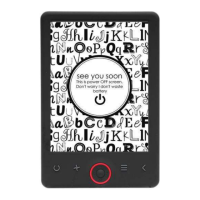
Details the front panel controls and the E-ink display area.

Back Side Features

Explains the location and function of the MicroSD card reader.

Getting Started

Charging the Unit

Recommends charging the device before first use and explains the charging process.

Transferring Files

Guides on copying ebooks, music, and photos to the device via USB.

Transferring DRM Protected Ebooks

Using Adobe Digital Editions

Details the process of transferring DRM-protected ebooks using Adobe Digital Editions software.

Desktop and Navigation

Recent Menu

Explains the recent reading list and how to manage reading records.

Books Menu

Books Menu Functions

Describes available functions within the books menu, including search, sorting, and properties.

Reading

Reading Interface

Explains how to navigate pages and use the front light for reading.

Activate Front Light

Details how to turn the front light on/off for better visibility in low light conditions.

Reading Menu Functions

Lists and explains functions available when reading a book, like page jump, search, and page settings.

Image and Music

Image Support

Lists supported image formats (JPG, BMP, TIF, PNG, GIF) and notes they display in black/white.

Music Playback

Details supported music formats (MP3, WMA, WAV, OGG) and the music player interface.

File Manager and Settings

File Manager

Explains access to folders and files on the unit, including MicroSD card.

Device Settings

Covers settings for fonts, date/time, standby, screen saver, preference, language, and device information.

Summary

Device Overview

Topside Components

Describes the top side components including indicator, power, USB, and earphone ports.

Front Side Controls

Details the front panel controls and the E-ink display area.

Back Side Features

Explains the location and function of the MicroSD card reader.

Getting Started

Charging the Unit

Recommends charging the device before first use and explains the charging process.

Transferring Files

Guides on copying ebooks, music, and photos to the device via USB.

Transferring DRM Protected Ebooks

Using Adobe Digital Editions

Details the process of transferring DRM-protected ebooks using Adobe Digital Editions software.

Desktop and Navigation

Recent Menu

Explains the recent reading list and how to manage reading records.

Books Menu

Books Menu Functions

Describes available functions within the books menu, including search, sorting, and properties.

Reading

Reading Interface

Explains how to navigate pages and use the front light for reading.

Activate Front Light

Details how to turn the front light on/off for better visibility in low light conditions.

Reading Menu Functions

Lists and explains functions available when reading a book, like page jump, search, and page settings.

Image and Music

Image Support

Lists supported image formats (JPG, BMP, TIF, PNG, GIF) and notes they display in black/white.

Music Playback

Details supported music formats (MP3, WMA, WAV, OGG) and the music player interface.

File Manager and Settings

File Manager

Explains access to folders and files on the unit, including MicroSD card.

Device Settings

Covers settings for fonts, date/time, standby, screen saver, preference, language, and device information.

Denver EBO-610L Specifications

General IconGeneral
Display Size6 inches
Display TechnologyE-Ink
Resolution800 x 600
Storage4GB
Internal Memory512MB RAM
Battery1500 mAh
Weight170 grams
ConnectivityMicro USB
MicroSD card readerYes, up to 32GB
Supported FormatsEPUB, TXT, PDF, FB2, HTML, RTF, MOBI
Additional FeaturesBuilt-in Dictionary, Adjustable Font Size

Related product manuals