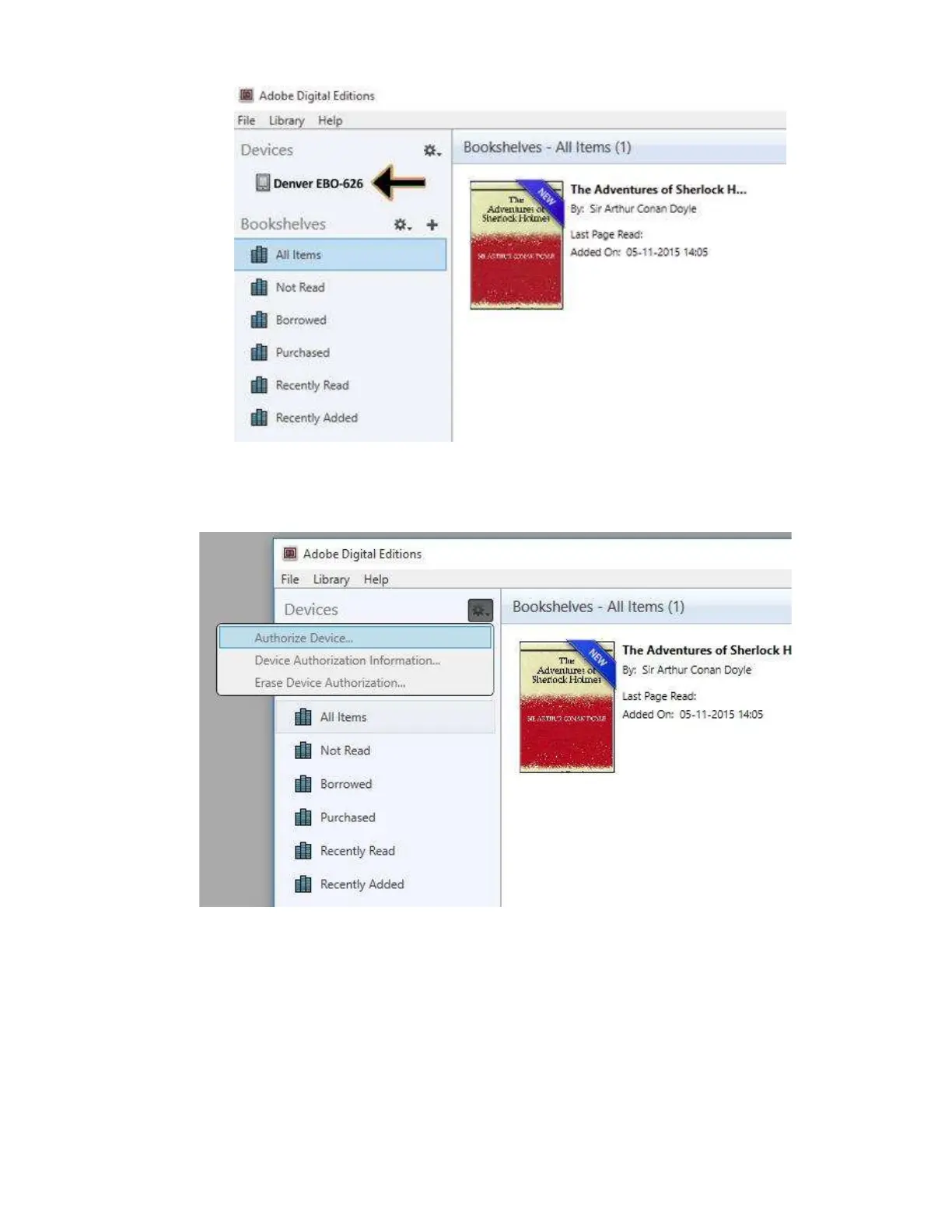
10. Sometimes it can be necessary to authorize DENVER EBO-626. This can be done by clicking on the
Gear icon right beside the Devices and choose ”authorize device”.
11. Now you can add the desired ebooks by clicking “File” and choose “Add to Library”. Now the ebook
can be seen in the “Library” overview.
12. Now you drag the Ebook to Denver EBO-626 and notice there is a small green +. This is an indication
that you can drop the Ebook. Now the Ebook is copied to your DENVER EBO-626 device.
ENG-8


 To Next Page