EasyManua.ls Logo

Denver GSP-131 - User Manual

Denver GSP-131
168 pages
Print Icon
To Next Page IconTo Next Page
Loading...
ENG-1
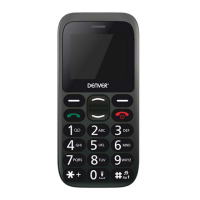
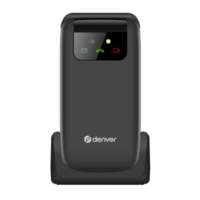
Senior Phone
GSP-131
www.facebook.com/denverelectronics
User Guide
English
Question and Answer IconNeed help?

Do you have a question about the Denver GSP-131 and is the answer not in the manual?

Summary

Insert the SIM card

Inserting the Battery

Charging the battery

FM radio

Automatic Search

Automatically search for radio stations.

Channel list

Manually browse saved channels.

Save

Save searched stations.

Manual search

Manually search for radio channels.

Speaker

Reproduce radio with the speaker instead of headphones.

Background

Keep playing radio in background after exiting the app.

FM Record

Record the current radio channel.

File list

List of recorded files.

Main menu

Messaging

Write and read SMS text messages.

Contacts

Manage and save contacts.

SOS

S.O.S. Function

Phone Settings

Set Ringtones

Select and set incoming call ringtones.

Vibration mode

Change vibration mode, general mode, or silence mode.

Restore factory settings

Reset the phone to factory settings using password 1234.

Radio frequency (RF) exposure and SAR

Summary

Insert the SIM card

Inserting the Battery

Charging the battery

FM radio

Automatic Search

Automatically search for radio stations.

Channel list

Manually browse saved channels.

Save

Save searched stations.

Manual search

Manually search for radio channels.

Speaker

Reproduce radio with the speaker instead of headphones.

Background

Keep playing radio in background after exiting the app.

FM Record

Record the current radio channel.

File list

List of recorded files.

Main menu

Messaging

Write and read SMS text messages.

Contacts

Manage and save contacts.

SOS

S.O.S. Function

Phone Settings

Set Ringtones

Select and set incoming call ringtones.

Vibration mode

Change vibration mode, general mode, or silence mode.

Restore factory settings

Reset the phone to factory settings using password 1234.

Radio frequency (RF) exposure and SAR

Denver GSP-131 Specifications

General IconGeneral
SIM Card SlotsDual SIM
Memory Card SlotYes, MicroSD up to 32GB
BluetoothYes
FM RadioYes
Battery800 mAh

Related product manuals