10
Tuning Setup
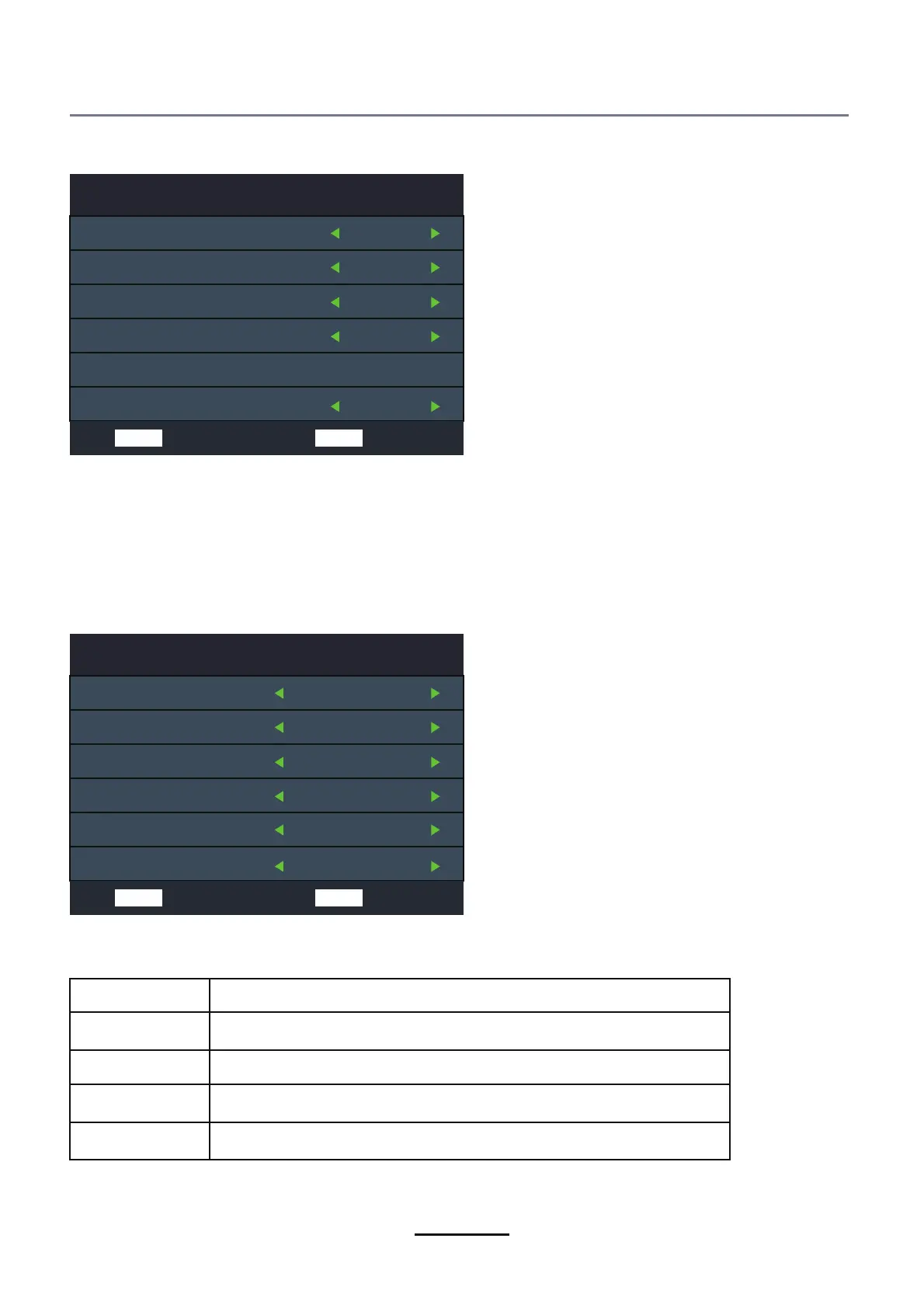
Tune Type DTV + ATV
Digital Type DVB-C
Scan Type Full
Network ID Auto
Frequency Auto
Symbol Rate Auto
Cable (DVB-C) Auto Tune:
Select DVB-C in “Digital Type”:
There are 2 options for DVB-C “Scan Type”:
1.Full: Select “FULL”in “Scan Type”and choose “OK” to start Auto Search for the channels.
2.Network:Select “Network” in “Scan Type” Input the number of the Network ID of the channel and
choose the frequency and press “OK” button to find specific TV channel. (Please notice you need
to know the Network ID + Frequency+Symboal Rate from your TV provider).
MENU Back ENTER Start
Tuning Setup
Tune Type DTV
Digital Type Satellite
Satellite 01 HOTBIR...
Scan Mode Default
Channel Type Free+Scaram...
Service Type Aull
MENU Back ENTER Start
Satellite(Auto Tune):
Select “Satellite” in “Digital Type”:
Operations in Satellite Auto Tune menu are show in the following table:
Option Value
Satellite 60 satellite for searching
Scan Mode Default,Blind Scan,Network
Channel Type Scramble,free,free+Scaramble
Service Type All,Radio,DTV



 To Next Page