Home
Denver
LED TV
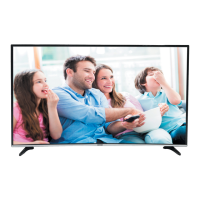
LED-5573K
Denver LED-5573K - User Manual
21 pages
Manual
Specs
Ask a question
Save Page as PDF
To Next Page
To Next Page
Loading...
User
’
s Guide
NOTE:
Read all of the instructions before using
this TV and keep the instruction
manual in a safe place for future refere
nce.
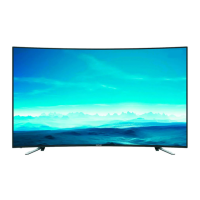
4K UHD CURVED LED TV with DVB-T2/S2/DVB-C
and DVB-T2/S2 4K Support
Model:
LED-5573K
2
Table of Contents
Main Page
Contents
2
Safety Information
3
Where to Install
5
Smell/Odor from TV
5
Front View
6
Functions of the TV Buttons
6
Connections
7
The Remote Control
8
Common Interface Slot
10
Auto Installation Setup
10
Power On/Off the LED TV
10
Channel Setting
11
Auto Tuning
11
DVB-C Tuning
11
DTV Manual Tuning
11
Programme Edit
12
CI Information
12
Power-Off-No-Signal-Down
12
Dish Setup
12
Satellite Tuning
13
Transponder List
14
Transponder Edit Menu
14
Transponder Add Menu
14
Setting
14
Menu Settings
15
Picture Menu
15
Sound Menu
16
Setup Menu/Time Menu
16
Auto Standby
16
Software Update (USB)
16
Hearing Impaired
16
Lock Menu
17
Hotel Mode
17
Media Player
18
Movie
18
Music
18
Photo
18
Simple Troubleshooting
19
Other manuals for Denver LED-5573K
Quick Start Guide
43 pages
Need help?
Do you have a question about the Denver LED-5573K and is the answer not in the manual?
Ask a question
Denver LED-5573K Specifications
Print Specification
General
Resolution
3840x2160 (4K UHD)
Display Technology
LED
HDMI
3
USB
2
Smart TV
Yes
Operating System
Android
Wi-Fi
Yes
Screen Size
55 inch
Related product manuals
Denver LED-5571
21 pages
Denver LED-5570T2CS
21 pages
Denver LED-5569T2CS
21 pages
Denver LED-5568T2CS
35 pages
Denver LED-6570
43 pages
Denver LED-3279
56 pages
Denver LED-3269
35 pages
Denver LED-4073
35 pages
Denver LED-3271
35 pages
Denver LED-6569T2CS
21 pages
Denver LED-1030DVBT
23 pages
Denver LED-6568T2CS
35 pages

 Need help?
 General

 To Next Page
