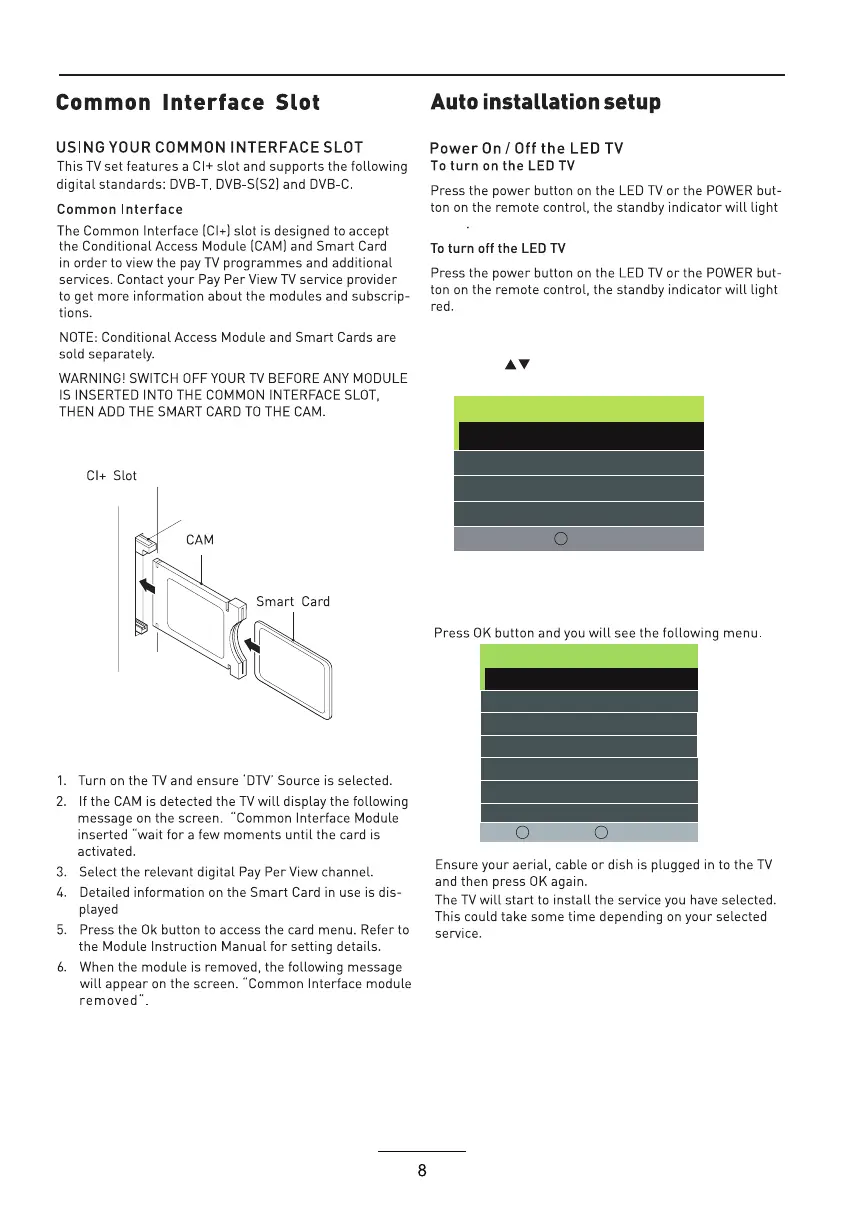
green
Use the Left/Right/Down keys to select your Language,
Country and Energy Model.
First Time Installation
Language < English >
Country < Germany >
Energy Mode < Home Mode >
Auto Standby < 4H >
OK Auto Tuning
Tune Type < DTV+ATV >
Tuning Setup
MENU
Back OK Start
Digital Type < DVB-C >
Scan Type <Network Scan >
Network ID < Auto >
Frequency < Auto >
Sysmbol Rate < Auto >
Sorting by LCN < Off >
1.Press the Menu button on the remote control on your
LED TV to select the Setup menu.
2.Press the buttons to select the First Time
Installation.


 To Next Page