Eng-6
Section 4: Connectivity Options
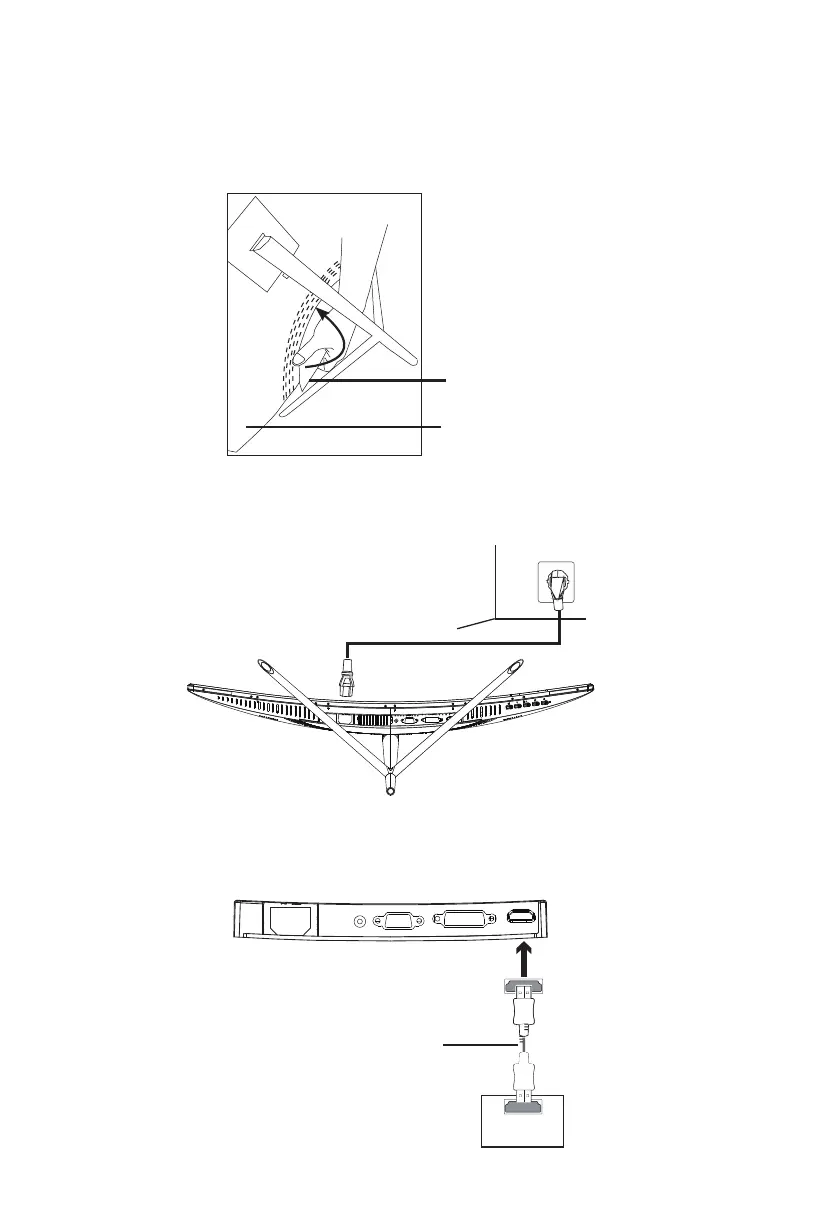
4.1 – Removing the Port Cover
Before connecting any cables, remove the port cover first.
Port Cover
Back of Monitor
4.2 – Connecting the Power Cable
Connect the included power cable to the power connector, and then plug the other
end into an wall outlet.
4.3 – HDMI Connectivity
In order for the monitor to receive HDMI signals from the computer, use the HDMI
cable to connect the monitor to the computer.
Power Cable
HDMICable (included)
HDMI OUTPUT
PC
HDMI



 To Next Page