MP-4014 EN
1
Parts and Controls
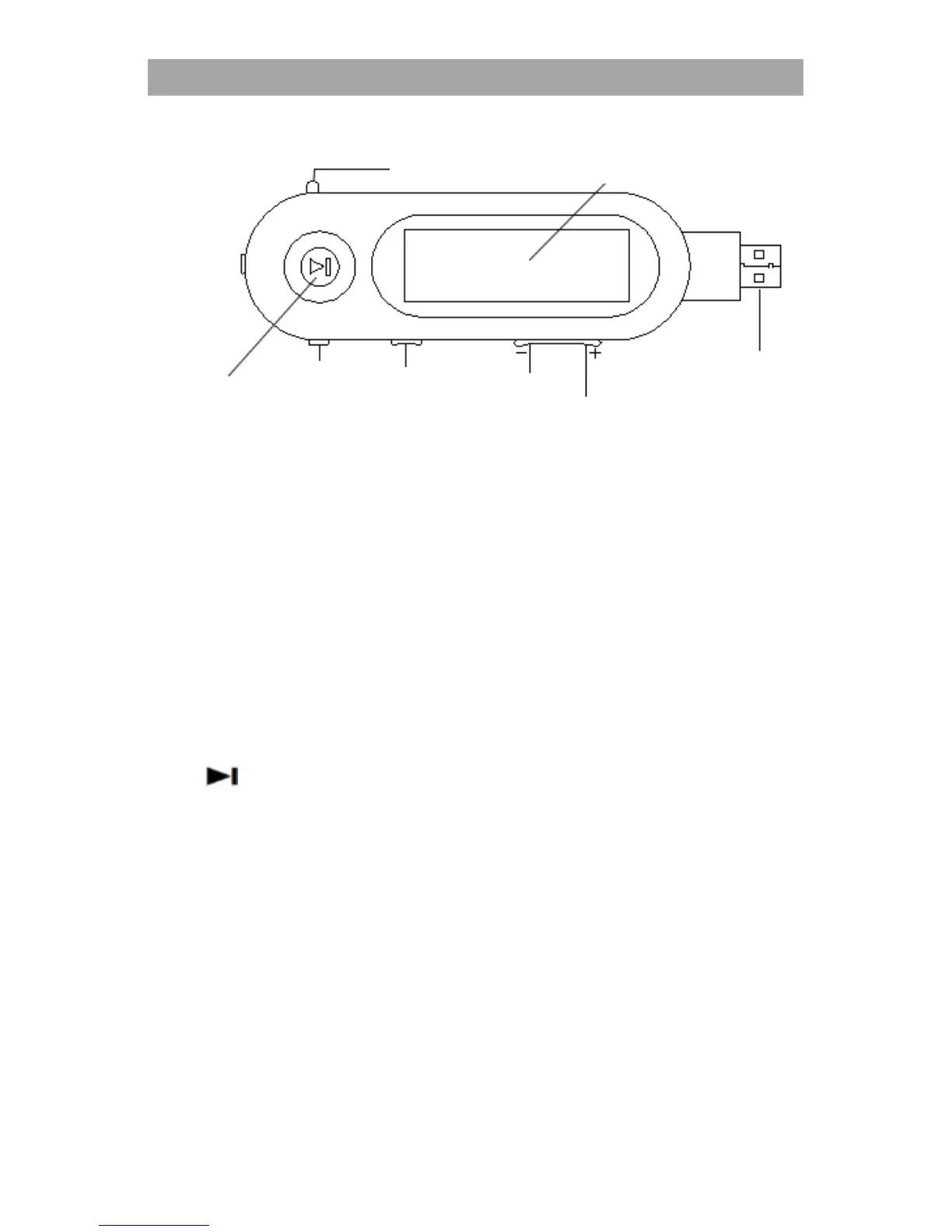
1. LCD Display
You can adjust the settings and choose the song through the display.
2. VOL +/– button
You can increase or decrease the volume when listening music.
3. HOLD button
There will be no any response of button-operation when this hold
button is locked.
4. MODE switch
Rotate to find the beginning of a song, or fast-rewinds/forwards.
When a menu appears on the display, rotate to select a menu item.
5.
button
Turning ON/OFF the unit, Starts/pauses song playback, or
pauses/restarts.
6. Earphone jack
7. MIC (Microphone)
For voice recording by the player.
8. USB cap
When connecting with USB, remove the USB cap.


 To Next Page