7
.
:
Volume down, fast volume down
8
.
REC
:
Enter record, or A-B repeat
9
.
USB
:
USB jack
。
10. Earphone jack: standard 3.5mm earphone jack.
Music mode
z Simple actions
1.
Put earphone plug into earphone jack;
2.
Switch the player on, then entry into main menu, select Music and press M to enter, then short press to
play.
3.
Select a music: :Previous music;
: Next music.
•
4. Volume adjust: Short press , volume down
Short press , volume up
z Play parameter setting
When playing music, short press M enter into play submenu
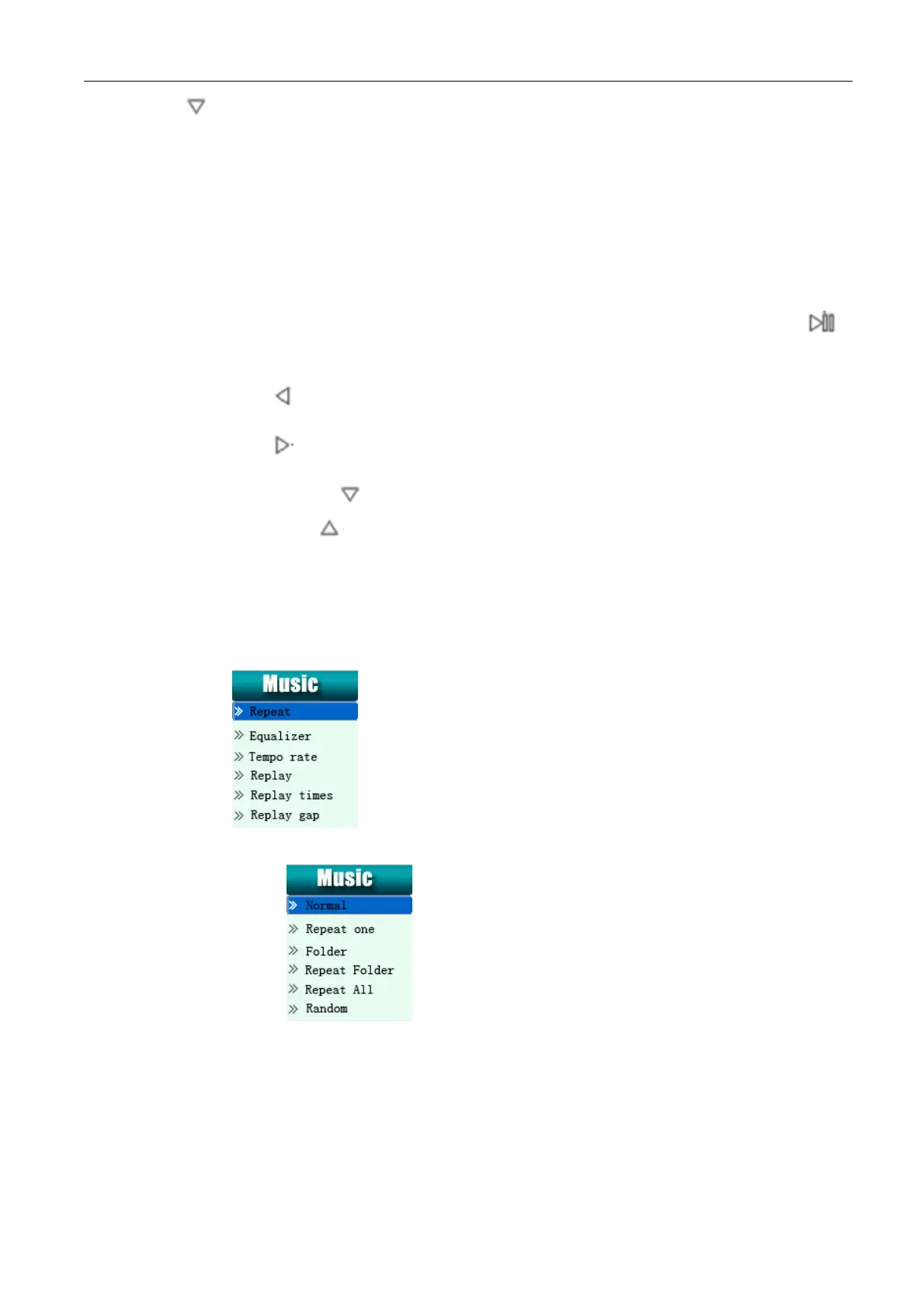
1. Repeat mode: Short press M enter into submenu
2. Equalizer Mode: Short press M enter into submenu
Page 6


 To Next Page