Start using Frameo
Next step is to connect Frameo with your friends and family by providing them with a code from
your frame.
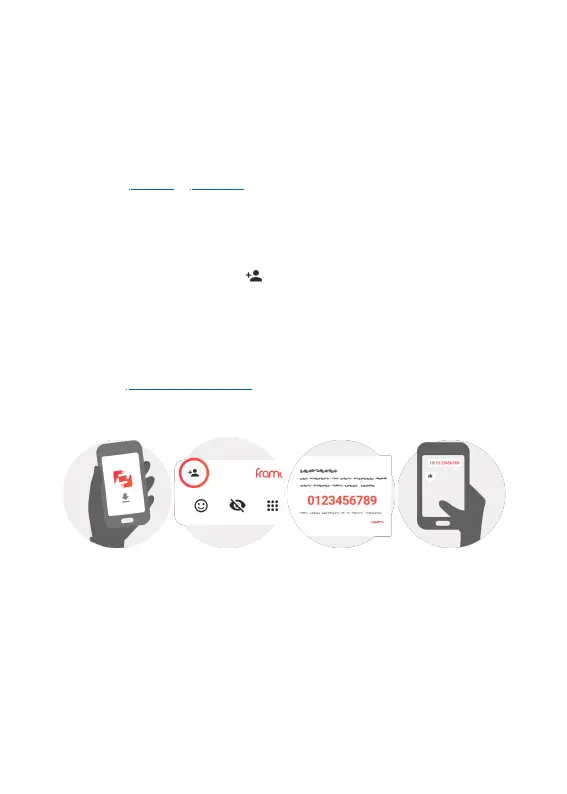
If you want to be able to send photos to the frame yourself, start by downloading the app for iOS
or Android on App Store or Google Play. Then use the code to connect your frame and app as
described below.
Connecting a new friend
Make sure that your friend has downloaded and installed the Frameo app.
Click the add friend icon on your frame . A dialog will appear showing a connection code,
which is valid for 12 hours.
Now share this code in whatever fashion you prefer e.g. SMS, E-Mail, IM, phone call, to your
friend.
Once your friends have added the code in their Frameo app, they will automatically appear on
your frame and be able to send you photos.
Read chapter Change options for a friend to allow connected friends, to retrieve and share the
connection code via the smartphone app.
ENG 6


 To Next Page