Need help?
Do you have a question about the Denver TVD-1401 and is the answer not in the manual?
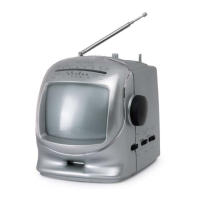
This document describes the DENVER TVD-1401, a 14-inch (37cm) color television with an integrated DVD player. It provides comprehensive instructions for installation, operation, and maintenance, ensuring users can maximize their viewing and entertainment experience.
The DENVER TVD-1401 serves as a dual-purpose entertainment unit, combining a color television with a built-in DVD player. As a television, it is capable of receiving broadcast signals, allowing users to watch their favorite TV channels. The integrated DVD player expands its functionality, enabling playback of DVD discs for movies and CD audio for music. The device supports various video and audio input/output options, including a Scart connector, front video and audio inputs, and dedicated audio/video outputs for the DVD player, including S-Video. It also features an earphone jack for private listening. The unit is equipped with a remote control for convenient operation of both TV and DVD functions.
Upon connecting the TV aerial and powering on the unit, the TV screen will illuminate. If white dots appear, the TV requires tuning to available stations. The manual outlines a process for pre-setting TV stations into memory, which can only be done in TV mode. This involves accessing the main menu, selecting "TUNE" mode, and then choosing either "AUTO SEARCH" for automatic scanning and storage of stations or "SEARCH" for manual tuning. Manual tuning allows users to search for stations up or down the frequency range and store them in desired program positions.
Users can customize their viewing experience by adjusting picture settings such as brightness, color, contrast, and sharpness through the "PICTURE" menu. Sound levels can be adjusted using the volume buttons on the remote control or the unit itself. The remote control also includes a "MUTE" button to temporarily silence the audio.
The TV includes a timer function that allows it to be switched on or off automatically at specified times. This feature is configured through the "TIMER" menu, where users can set the hour and minute for both ON and OFF times. For the timer to be effective, the TV must be in standby mode after the settings are applied.
The "SETUP" menu provides options to select the desired language for the on-screen display (OSD), menu, audio, and subtitles. Additionally, users can enable or disable the "BLUE BACK" feature, which displays a blue background when no signal is present.
TV channels can be selected using the "CH" buttons on the unit or the remote control, allowing users to navigate through channels sequentially. Numeric buttons on the remote control also enable direct channel input, including two-digit program numbers. Volume is controlled via the "VOL" buttons.
The "TV/AV/DVD" button on the unit or the remote control allows users to switch between TV mode, AV input mode (for external video/audio sources), and DVD mode. When AV mode is selected, "AV" will be displayed on the screen. When switching to DVD mode, there may be a brief delay before "DVD" appears.
Basic Playback: To use the DVD player, users press the "TV/AV/DVD" button to enter DVD mode. Discs are loaded by pressing the "OPEN/CLOSE (EJECT)" button, placing the disc with the printed title side up in the tray, and then pressing "OPEN/CLOSE" again to close it. Discs will typically play automatically. For DVD discs, a menu/title page may appear, while CD audio discs will play the first track directly.
Playback Control: The DVD player offers standard controls: "PLAY" to start or resume playback, "STOP" to halt playback (a single press allows for resume play, while a double press fully stops the disc), and "PAUSE/STEP" to temporarily freeze the picture (for DVDs) or mute the audio (for CDs).
The "SETUP" mode provides menus for configuring "LANGUAGE SETUP," "SCREEN SETUP," "AUDIO SETUP," and "CUSTOM SETUP." Navigation is done using direction buttons and the "ENTER" button.
The "PARENTAL CTRL" feature allows users to set age restrictions for disc playback, with eight levels from "KID SAF" to "ADULT." Changing these settings requires entering a four-digit secret code (default is 9922). Users can also change the password.
"ANGLE MARK" can be set to ON or OFF; when ON, the "ANGLE" button allows switching between multi-angle scenes. "DEFAULT" allows users to revert all settings to factory defaults.
The TV supports Teletext, an information system displaying text on the screen. Users can access Teletext by pressing the "TV Mode" button and then the "Teletext" button. Pages can be selected using numeric buttons or by navigating with "Program +" and "Program -" buttons.
The TV incorporates an automatic degaussing circuit that operates briefly each time the receiver is switched on using the mains switch. This feature helps remove residual magnetism from the picture tube's metal parts, preventing color distortion ("blotchy" areas) caused by magnetic influences (e.g., moving the TV or placing electrical appliances nearby). For optimal degaussing after moving the set or changing its orientation, it is recommended to switch off the mains switch for at least 10 minutes.
For cleaning dust or water drops on the picture tube face or cabinet, the power cord should be unplugged from the wall, and the receiver should be wiped with a dry, soft cloth.
The manual emphasizes safety precautions, including warnings against electric shock and fire hazards. It advises against removing the cover or attempting any internal adjustments, stating that "NO USER SERVICEABLE PARTS INSIDE." All "inside work" should be performed only by "Professional Service Personnel." The device is a Class-1 laser product, and users are warned against direct exposure to the invisible laser beam.
To ensure proper ventilation and prevent damage from excessive heat, sufficient space should be allowed between the receiver and the wall. The TV should be located in a room where direct light does not strike the screen to avoid eyestrain, with soft and indirect lighting recommended for comfortable viewing. The picture tube is highly evacuated and should be handled with care to avoid breakage.
 General
| Screen Size | 14 inches |
|---|---|
| Resolution | 1366 x 768 |
| Display Type | LED |
| HDMI | 1 |
| Coaxial output | Yes |
| Headphone output | Yes |
| Aspect Ratio | 16:9 |
| Response Time | 8 ms |
| Speakers | 2 x 3W |
| Inputs | VGA, SCART, USB |


 To Next Page