ENG 6
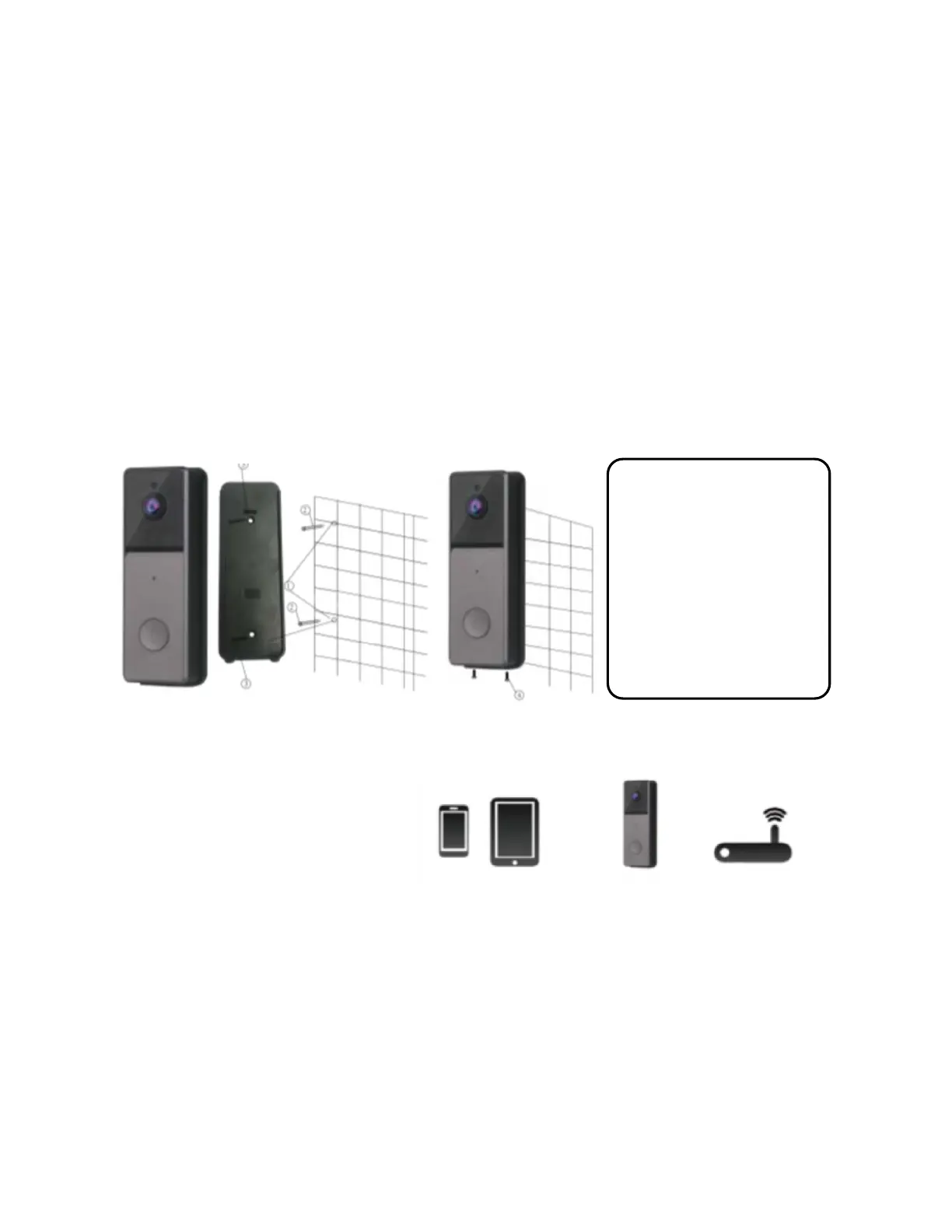
6. Installation
Before installation, please ensure that the location where the
doorbell is installed has Wi-Fi coverage.
1.
Drill 2 holes in the wall.
2.
Fit the rubber expansion plugs into the holes.
3.
Affix the wall hanging board to the wall with the 2 long
screws.
4.
Place the doorbell device on the wall mount, then affix the
wall mount to the doorbell using the 2 tamper screws.
7. Doorbell operation
Preparations before
use:
Mobile device system
requirements:
Android OS 5.0 or
higher
iOS 10.0 or higher
Smart
phone or
tablet
Video
Doorbell
Router
Note:
Please use the live
preview feature to find
the best height to install
your doorbell. We
recommend not below
shoulder height


 To Next Page