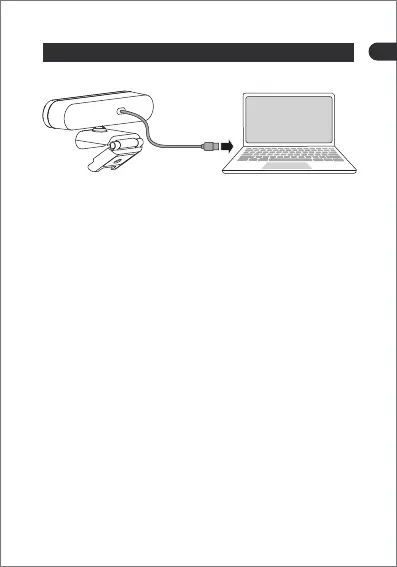
How to connect the camera to the computer?
Warm tips:
- 05 -
• Turn on the computer and make sure the computer is
configured with a USB port.
• If your computer only has a USB-C interface, then you can
use our USB-A to USB-C adapter to transfer directly. Plug the
webcam cable into the USB-A port of the adapter to complete
the transfer.
• Insert the camera into the computer USB port.
• Open an application, such as OBS Studio.
• Select the camera named Depstech Camera in the interface
options.
• Set the resolution to 3840×2160 px.
• Turn on the camera, once the DW50 indicator light is on, the
connection is successful.
• If there are some Windows / Macbook notebooks that only
have Type-C interface or Thunderbolt interface, please use
the USB port for docking.
• After inserting the USB interface, if it cannot be recognized,
please confirm whether the interface is occupied due to the
repeated opening of multiple video applications.
EN


 To Next Page