EasyManua.ls Logo

Design CAFE CCP06BP Series - User Manual

Design CAFE CCP06BP Series
20 pages
Print Icon
To Next Page IconTo Next Page
Loading...
Pub No. 49-1000491 Rev. 4 10-20 GEA
Write the model and serial numbers here:
Model # _______________________________
Serial # _______________________________
Find these numbers on a label inside of your
beverage center on the left side near the top.
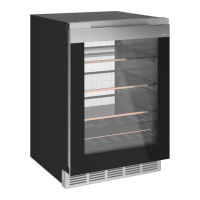
Undercounter Beverage Center
CCP06BP*****
CCR06BM*****
Contents
Safety Information . . . . . . . . . . . . . . . . . . . . . . . . . . . . . . .3
Using the Beverage Center
Controls . . . . . . . . . . . . . . . . . . . . . . . . . . . . . . . . . . . . . .6
WiFi . . . . . . . . . . . . . . . . . . . . . . . . . . . . . . . . . . . . . . . . .7
Shelves and Drawers . . . . . . . . . . . . . . . . . . . . . . . . . . . .8
Care And Cleaning . . . . . . . . . . . . . . . . . . . . . . . . . . . . . .9
Cleaning the Outside . . . . . . . . . . . . . . . . . . . . . . . . . . . .9
Cleaning the Inside . . . . . . . . . . . . . . . . . . . . . . . . . . . . .9
Vacation and Moving . . . . . . . . . . . . . . . . . . . . . . . . . . . .9
Installation Instructions
Before You Begin . . . . . . . . . . . . . . . . . . . . . . . . . . . . . .10
Location Requirements . . . . . . . . . . . . . . . . . . . . . . . . .10
Dimensions . . . . . . . . . . . . . . . . . . . . . . . . . . . . . . . . . .11
The Installation Space . . . . . . . . . . . . . . . . . . . . . . . . . .11
Product Clearances . . . . . . . . . . . . . . . . . . . . . . . . . . . .11
Removing Packaging . . . . . . . . . . . . . . . . . . . . . . . . . . .11
Reversing the Door Swing . . . . . . . . . . . . . . . . . . . . . . .12
Door Adjustment . . . . . . . . . . . . . . . . . . . . . . . . . . . . . .14
Handle Installation . . . . . . . . . . . . . . . . . . . . . . . . . . . . .14
Method 1 - Undercounter Installation . . . . . . . . . . . . . . .15
Method 2 - Freestanding Installation . . . . . . . . . . . . . . .16
Connect to Power . . . . . . . . . . . . . . . . . . . . . . . . . . . . .16
Complete Installation . . . . . . . . . . . . . . . . . . . . . . . . . . .16
Troubleshooting Tips . . . . . . . . . . . . . . . . . . . . . . . . . . .17
Limited Warranty . . . . . . . . . . . . . . . . . . . . . . . . . . . . . . .19
Consumer Support . . . . . . . . . . . . . . . . . . . . . . . . . . . . .20
Owner's Manual and Installation Instructions
ENGLISH/FRANÇAIS/ESPAÑOL
TM
Question and Answer IconNeed help?

Do you have a question about the Design CAFE CCP06BP Series and is the answer not in the manual?

Summary

Safety Information

Fire or Explosion Hazard

Warns about flammable materials and vapors near the appliance.

Excess Weight Hazard

Advises using two or more people to move and install the unit.

Electrical Shock Hazard

Proper Disposal of Old Refrigerator

Suffocation and Entrapment Hazard

How to safely dispose of an old refrigerator to prevent child accidents.

Fire or Explosion Hazard (Flammable Refrigerant)

Using the Beverage Center

Controls Overview

Overview of the beverage center's control panel functions and settings.

Temperature and Cooling Functions

Details on temperature settings, Turbo Cool, and cooling control.

Alerts and Modes

Information on door alarm, high temp alert, Sabbath, and lockout modes.

Appliance Communication

WiFi Setup

Steps to connect the beverage center to WiFi using the SmartHQ app.

FCC;IC Compliance Statement

Regulatory compliance information for the device.

Shelves and Drawers

Glass Shelves

Instructions for removing and replacing glass shelves.

QuickSpace Shelf

How to use and remove the split QuickSpace shelf.

Full Extension Drawers

Procedures for removing and replacing full extension drawers.

Care and Cleaning

Cleaning the Outside

Guide for cleaning the exterior surfaces, especially stainless steel.

Cleaning the Inside

Instructions for cleaning the interior, including warnings.

Vacation and Moving

Procedures for preparing the appliance for vacation or moving.

Installation Instructions

Before You Begin

Important preparatory steps and considerations before installation.

Location Requirements

Guidelines for choosing a suitable installation location.

Tools Needed

List of tools required for the installation process.

Parts Supplied

Inventory of parts included with the beverage center for installation.

Beverage Center Dimensions

The Installation Space

Recommended space requirements for installation.

Product Clearances

Minimum clearance requirements for door swing and ventilation.

Remove Packaging

Instructions for safely removing packaging materials.

Reversing the Door Swing

Models with Cafe Handle

Step-by-step guide for reversing door swing on Cafe Handle models.

Models with Pocket Handle

Step-by-step guide for reversing door swing on Pocket Handle models.

Door Adjustment

Handle Installation

Method 1: Undercounter Installation

Leveling and Securing the Unit

Adjusting leveling legs and installing anti-tip brackets.

Toe Kick and Power Connection

Installing the toe kick and connecting the appliance to power.

Cabinet;Countertop Installation

Finalizing the installation into cabinets or to a countertop.

Method 2: Freestanding Installation

Hinge Guard and Leveling

Attaching hinge guard and adjusting leveling legs.

Anti-tip Bracket and Toe Kick

Installing anti-tip bracket and toe kick.

Power Connection and Final Placement

Connecting to power and completing freestanding installation.

Troubleshooting Tips

Unit Not Running

Solutions for when the beverage center does not operate.

Compressor Operation

Explains frequent or long compressor run times.

Odors and Lighting Issues

Addresses appliance odors and non-functioning lights.

Noise and Vibration

Troubleshooting common operational sounds and vibrations.

Temperature and Moisture

Guidance for resolving temperature and interior moisture issues.

Limited Warranty

Consumer Support

Café Website

Information on accessing the Café website for support and product information.

Register Your Appliance

Instructions for registering the appliance online for enhanced service.

Schedule Service

How to schedule expert repair service online or by phone.

Parts and Accessories

Information on ordering replacement parts and accessories.

Design CAFE CCP06BP Series Specifications

General IconGeneral
BrandDesign
ModelCAFE CCP06BP Series
CategoryKitchen Appliances
LanguageEnglish