Firmware Upgrade
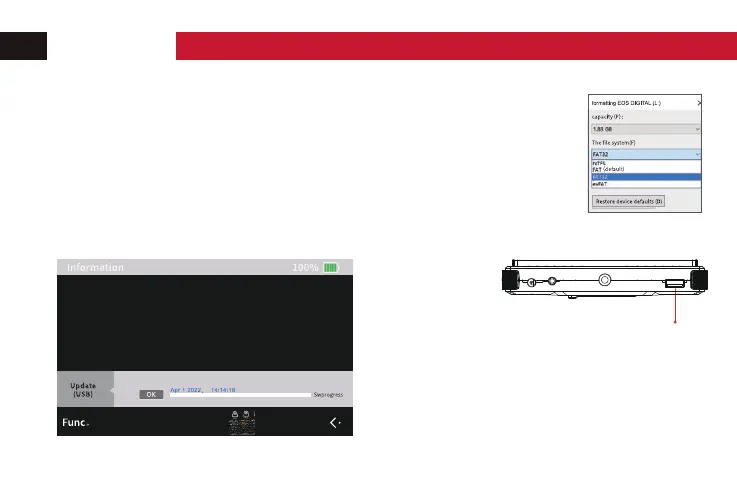
1. Fomate the USB stick as "FAT32 formal" with a computer.
2. Copy the downloaded upgrade file into the USB stick.
3. Insert the USB stick into the monilor's USB connection.
4. Bring up the shortcut key of multi-function adjustment,
press the menu button to select software upgrade, and press
the left/right buttons to select "OK".
Please note: Don't turn off the power or take out
the USB stick during the period of the upgrade.
USB connection
OPERATION


 To Next Page