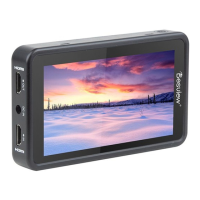
Need help?
Do you have a question about the Desview P5II and is the answer not in the manual?
How to navigate the monitor's menu using buttons and select functions.
Step-by-step guide to import LUT (Look-Up Table) files via USB.
Procedure for updating the monitor's firmware using a USB stick.
Configuration options for False Color, Zebra, Histogram, Waveform, Peaking, and Single Color.
Settings for language, backlight, reset, and software updates via USB.
Screen size, dimensions, weight, resolution, contrast, brightness, viewing angle.
Comprehensive list of supported HDMI input and output signal formats.
Explanation of statutory liability, warranty period, and claim procedures.

 To Next Page
 General