2
Detectomat GmbH
D-22926 Ahrensburg
www.detectomat.com
Quickstart RCP 3500 PoE
Artikelnummer: 56519
Version 1.1, 24.04.2018
2. Connect the at Ethernet UTP patch cable
(item no. 56445) to the RCP 3500 PoE.
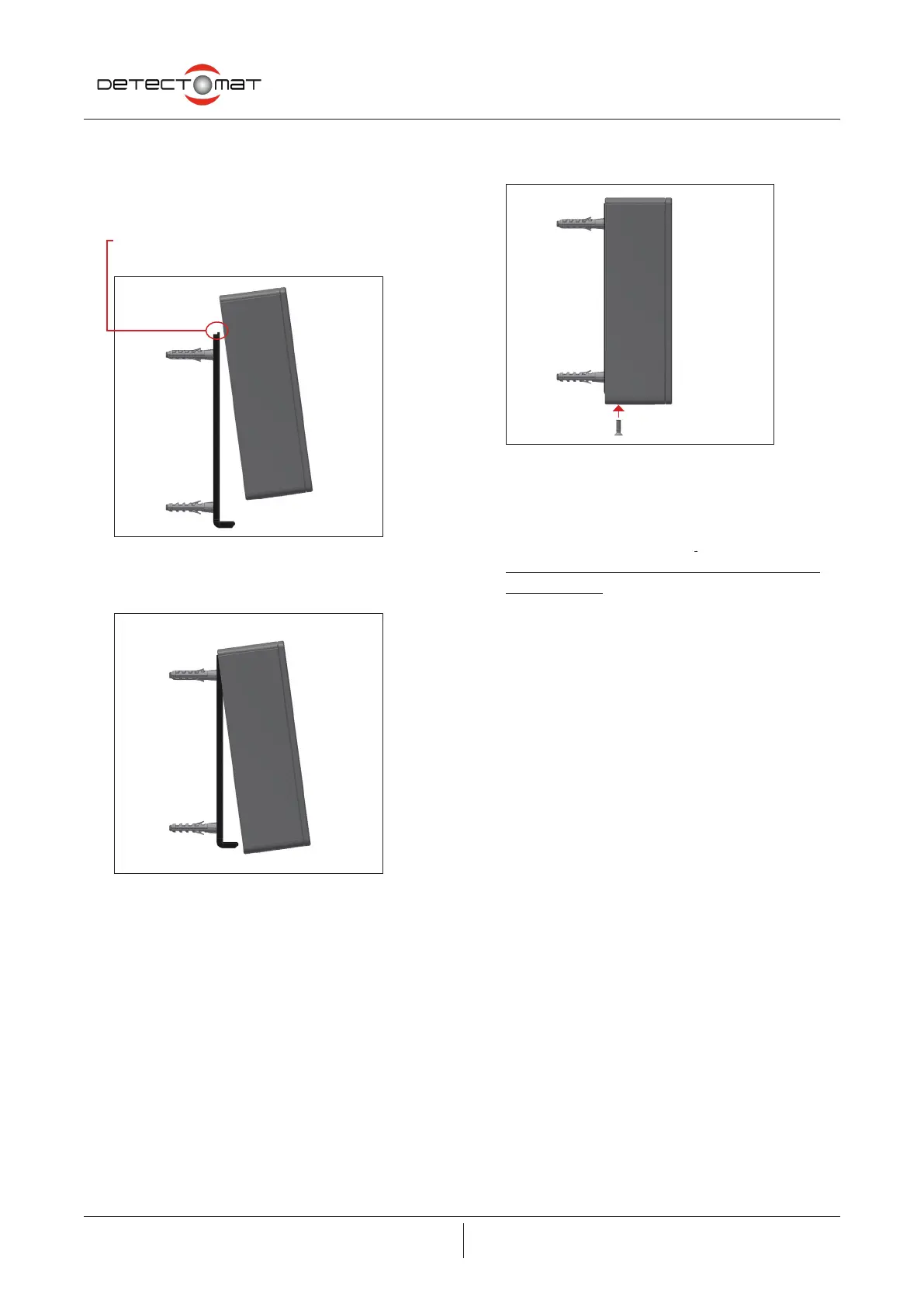
3. Push the housing down onto the support plate.
Ensure that the narrow tab on the support plate
goes into the slot on the top inside of the housing.
Figure 2 :
Side view of housing with support plate
Figure 3 :
Side view of housing with support plate
4. Screw the housing to the support plate using the xing
screw.
Figure 4 :
Fixing the housing
5. Connect the other end of the at Ethernet UTP patch cable
to the Ethernet socket (RJ45) of the installation cable (not
included in the scope of delivery).
Always use the unshielded patch cable included in the
scope of delivery
6. Congure the FCP dc3500 using the dpt programming
tool. Follow the instructions in the operation manual (item
number 54348), chapter 7.
7. Plug the USB cable into the programming laptop and the
programming socket on the FCP dc3500.
8. Then commission the system as usual using the dpt tool.
The existing programming for the control panel can be
used and the remote control and display panel can be
added to it.
9. The remote control and display panel is listed in the dpt
tool as ‘ABF 2’
10. Following successful commissioning, the FCP turns to
operational readiness.


 To Previous Page
 Loading...