Need help?
Do you have a question about the DETOMASO Spacy Timeline 1 and is the answer not in the manual?
Describes the watch's LED time and 24-hour display capabilities.
Provides step-by-step guidance on displaying time, month, and day.
Details the procedure for setting the watch's hour, minute, month, and day.
Illustrates time and date displays with specific settings and color coding.
Details the watch's LED time display with hours, minutes, month, and day.
Explains how to activate time display and switch between time, month, and day.
Guides users on setting the watch's hour, minute, month, and day accurately.
Shows visual examples of time and date displays for different settings and color indicators.
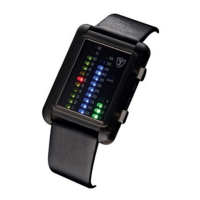
Covers binary LED time and date display capabilities of the watch.
Explains how to view time and date, and interpret the illuminated LEDs.
Details the process for setting the hour and minute using the watch buttons.
Outlines the procedure for setting the month and date using button combinations.
Describes the binary LED time and date display features of the watch.
Explains how to view time and date, and interpret the illuminated LEDs.
Guides users on setting the hour and minute using the designated buttons.
Details the procedure for setting the month and date with the watch controls.
Lists the main features including LCD display, alarms, timer, and EL backlight.
Covers basic functions like choosing modes and activating the EL backlight.
Explains mode selection, EL backlight, and digital time setting procedures.
Details how to set the analogue time using the watch crown.
Covers setting up to five independent alarm functions and hourly time signals.
Provides step-by-step instructions for setting various alarm types and snooze.
Explains the countdown timer settings and operation.
Details how to start, stop, and reset the countdown timer.
Explains the display range and operations for elapsed time, split time, and two finishes.
Guides on entering and setting the 2-time zone mode.
Lists main features: LCD display, alarms, 12/24 hr format, chronograph, backlight.
Covers mode selection and activating the EL backlight.
Explains setting digital time, including hour, minute, month, day, and seconds.
Details how to set the analogue time using the watch crown.
Explains elapsed time and split time operations for the chronograph.
Guides on setting alarms and hourly chimes, including snooze function.
Lists features: analogue/digital time, date display, radio reception, 24hr display.
Explains the four main modes: Time, Date, Seconds/Weekday, and Time Zone.
Describes the automatic signal checking process for time synchronization.
Details how to initiate a manual radio signal search for time synchronization.
Guides setting month/date, synchronizing hands, and searching for radio signals.

 To Next Page
 General