http://mydetoxfootbath.com/
USER INSTRUCTIONS
Carefully remove the machine from the case. Set the machine on a dry and stable surface. Check all
accessories of the machine and familiarize yourself with the parts and machine features.
1. Fill your plastic basin with warm to room temperature water (tap or distilled). The plastic basin is
sold separately. Please see our store for our options of plastic liners and basins:
www.mydetoxfootbath.com. Get your salt and have ready nearby.
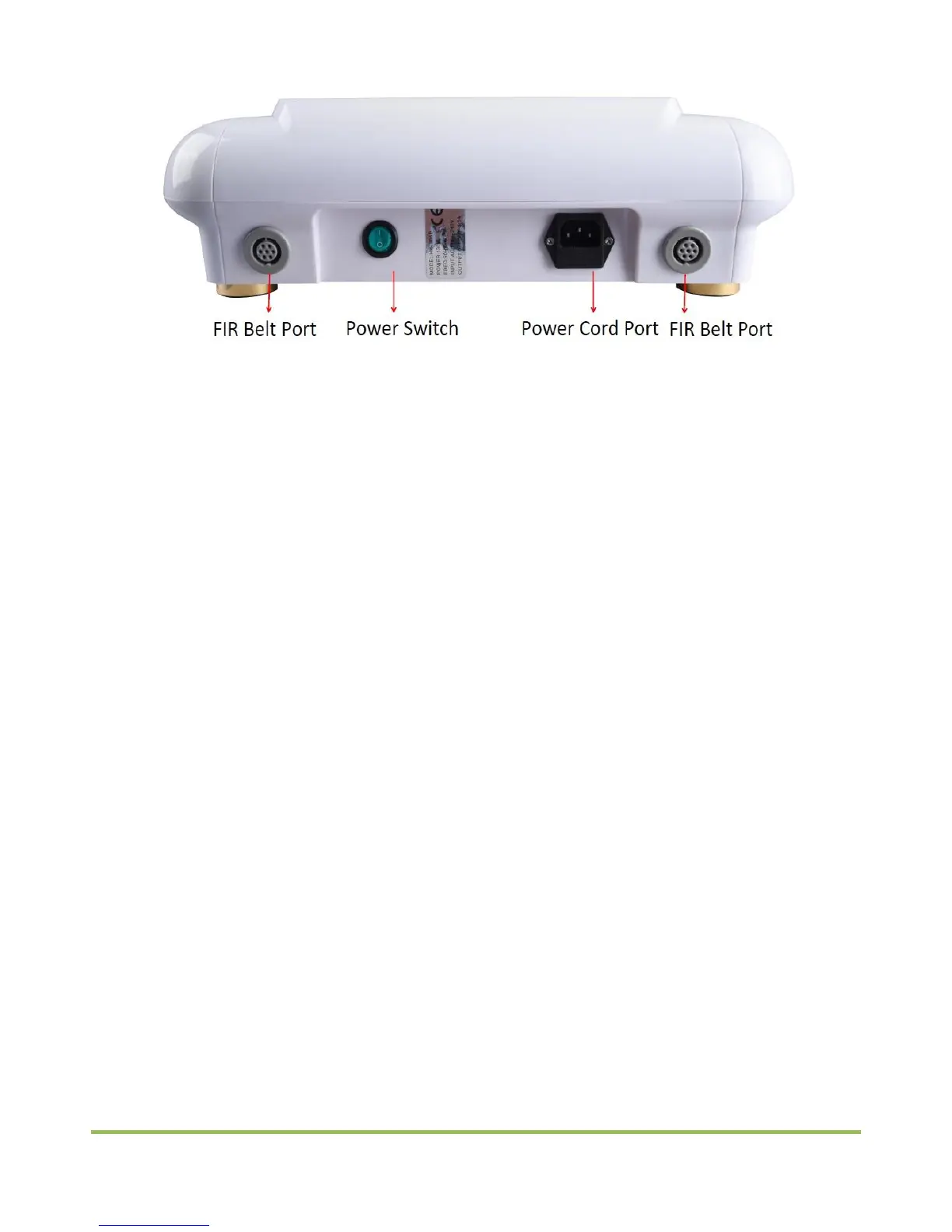
2. Insert the power cord and array into corresponding jacks on the front and back of the main unit. Plug
the power cord into the wall outlet. If using the wristband and belt, insert the cord into the
corresponding jacks. Note: the metal of the wristband must be touching the skin. Insert the array in
the water basin.
3. If using the wristband, strap around your wrist making sure the metal of the wristband is touching the
skin. If using the waist belt, fasten the belt on your waist. If using the TENS pads, they can be place to
the meridian and joint of your body.
4. Select the desired mode for A and B: (POS:positive ion,NEG:negative ion). The higher the mode
the more powerful.
5. Press the A/B Time button to select the desired treatment time.
6. Press the START/STOP to start the treatment.
7. Press the ON/OFF button.
8. Press the lower A/B MODE button to select the desired TENS mode.
9. Press the button + or – to adjust the TENS intensity level.
10. Press the A/B Belt button to select the desired belt function.
Note:
Select the desired treatment mode before pressing the START/STOP button. Press the START/STOP
button to save all settings. Cannot be modified afterwards.
START/STOP button is supposed to control the upper A/B MODE and A/B Time button while the ON/OFF
is supposed to control the A/B MODE button the lower A/B MODE button and +/- button.
TENS refers to Transcutaneous Electrical Nerve Simulation. It is the use of electric current produced by
the electrode plates to stimulate the nerves for therapeutic purposes, intending to reduce both acute
and chronic pain.


 To Next Page