12
While adjusting TIMER ON, TIMER OFF or CLOCK, push " 5 " or " 6 " button to set the time. (Please see
section CLOCK, TIMER ON, TIMER OFF buttons for more details.)
7. SLEEP button
SLEEP function is available in COOL (cooling) and HEAT (heating) modes only. This function permits to
gradually increase room temperature of 4 °C in COOL mode and to lower it in HEAT mode. You will then
save energy without affecting your sleep. This function is settled over an 8-hour period. After this period
of time, the device will work on previous established parameters, as it was set before SLEEP function was
activated.
Press this button to activate SLEEP function and the icon " " will appear on remote control. Press again
this button to cancel SLEEP function and the icon disappears.
8. TEMP button
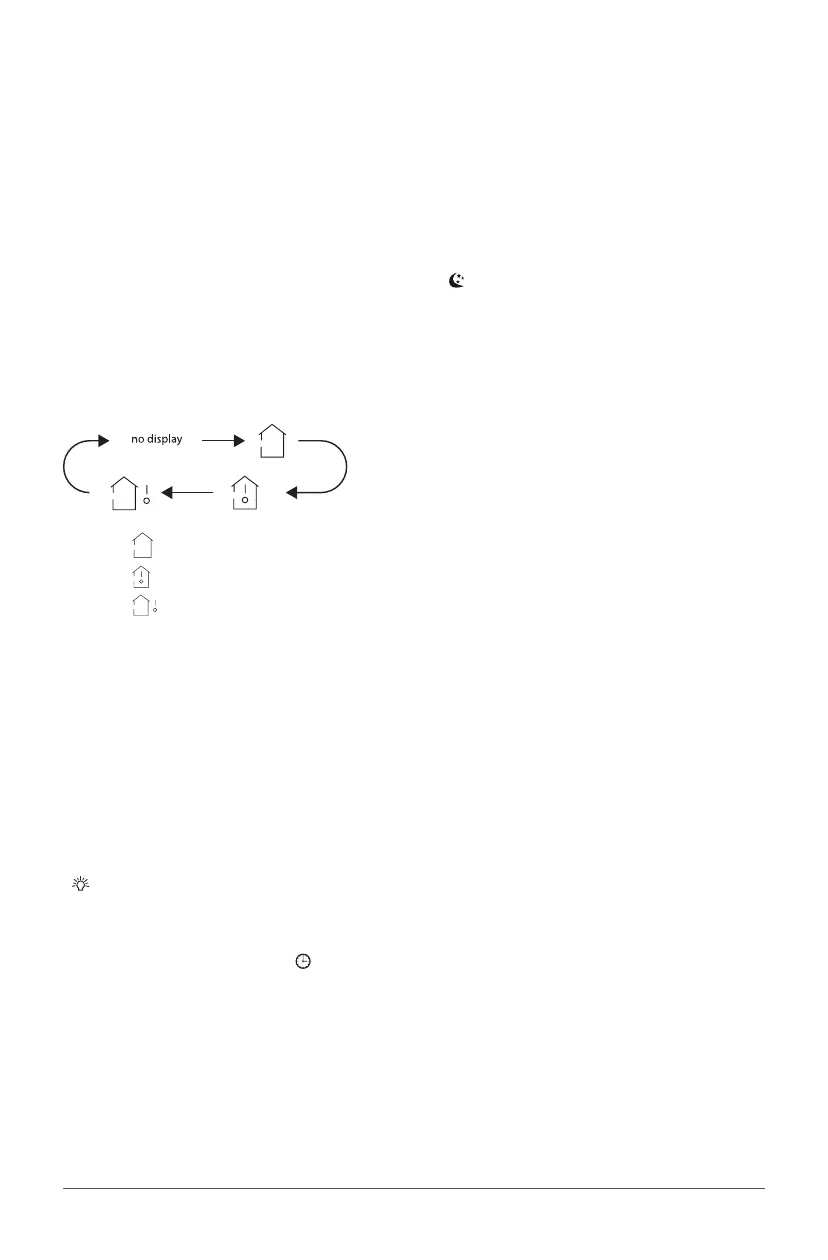
When pushing this button, you can choose the temperature you wish to see on the indoor unit display:
set temperature, indoor room temperature or outdoor temperature.
• When " " or “ no display” is displayed, the set temperature is shown.
• When "
" is displayed, indoor room temperature is shown.
• When "
" is displayed, current outdoor temperature is shown.
NOTE:
Current outdoor temperature is not available on all models. In that case, the set temperature is shown.
9. WiFi button
Press this button to activate WiFi function. When WiFi function is turned on, the "WiFi" icon will be
displayed on remote controller. By pressing MODE and WIFI buttons simultaneously for 1 second, WiFi fuc-
tion will be restore to default setting. This function is only available for some models.
10. LIGHT button
Press that button to light the indoor unit display screen. When the light on the display screen is on, icon
"
" appears on the screen.
11. CLOCK button
Press this button to set time. Icon "
" on remote control will blink. Within the next 5 seconds, press
button " + " or " - " to set time. With every push on the button " + " or " - ", time increases or decreases by
one minute. Hold this either buttons for 2 seconds in order to change time faster. Press again the CLOCK
button to confirm the hour and come back to normal display.
NOTE:
Clock uses 24-hour mode.



 To Next Page