Use of this System
This wireless microphone system provides a large number of options and features. It is therefore
recommended that the tips and advice included below is read in detail to ensure that you get the best out of
this system while using it safely.
Ensure Optimal Transmitter and Receiver Signal Strength
In areas where there is a large amount of wireless traffic (for example, in a street of pubs, restaurants, or
venues, all of which may use wireless background music or live performance equipment), it is always
possible that other wireless traffic may affect the wireless performance of your system.
In the worst case, this can cause serious problems with the performance of the WMD-50 Solo/Duo
microphone system.
To prevent or overcome these possible problems, the following measures can be taken:
– Make sure that any other transmitting or receiving device or equipment that operates using the same or
similar frequency band is moved at least 1 metre away from the system.
– As much as possible, try to maintain a clear ‘line of sight’ between the transmitter and receiver and ensure
that nothing is blocking the signal transmission. Obstructions can include walls, furniture, or audience
members. The less the signal is blocked, the more stable the signal becomes.
– A good tip is to place the receiver in a relatively high position. This will increase the ‘line of sight’ of the
receiver so that it can better detect the signal from the transmitter (handheld microphone).
Switching the Receiver On
Before switching the receiver on, ensure that it is placed in an optimum position (as described above) and on
a stable surface. Connect the DC power supply to the power input of the receiver and plug the power supply
into a compatible mains power socket. Use the Power button of the receiver to switch it on and off.
Connecting the Microphone System to an Audio Installation
On its own, this microphone system is not able to produce sound. As such, the receiver has been fitted with a
6.35 mm TS jack output socket so that it can be connected to an external audio system.
An external audio system usually includes an active speaker, mixer, or amplifier.
If in doubt, your local retailer will be able to offer advice regarding the cables you need to use. However,
most audio systems come fitted with a standard 6.35 mm TS jack input, in which case, the included jack
cable can be used to connect the WMD-24 Solo / Duo. If the audio equipment is fitted with a 3-pin XLR
microphone input, then a 6.35 mm jack to XLR cable or a jack to XLR adapter can be purchased separately
and used to connect the WMD-24 Solo / Duo to the audio installation.
The WMD-50 Solo and Duo both come fitted with two independent 3-pin XLR outputs that can be used to
send the separate signals of both microphones. This offers a huge advantage, since the sound of both
microphones can be individually fine-tuned and different effects (like echo) can be added to each
microphone signal using your mixer.
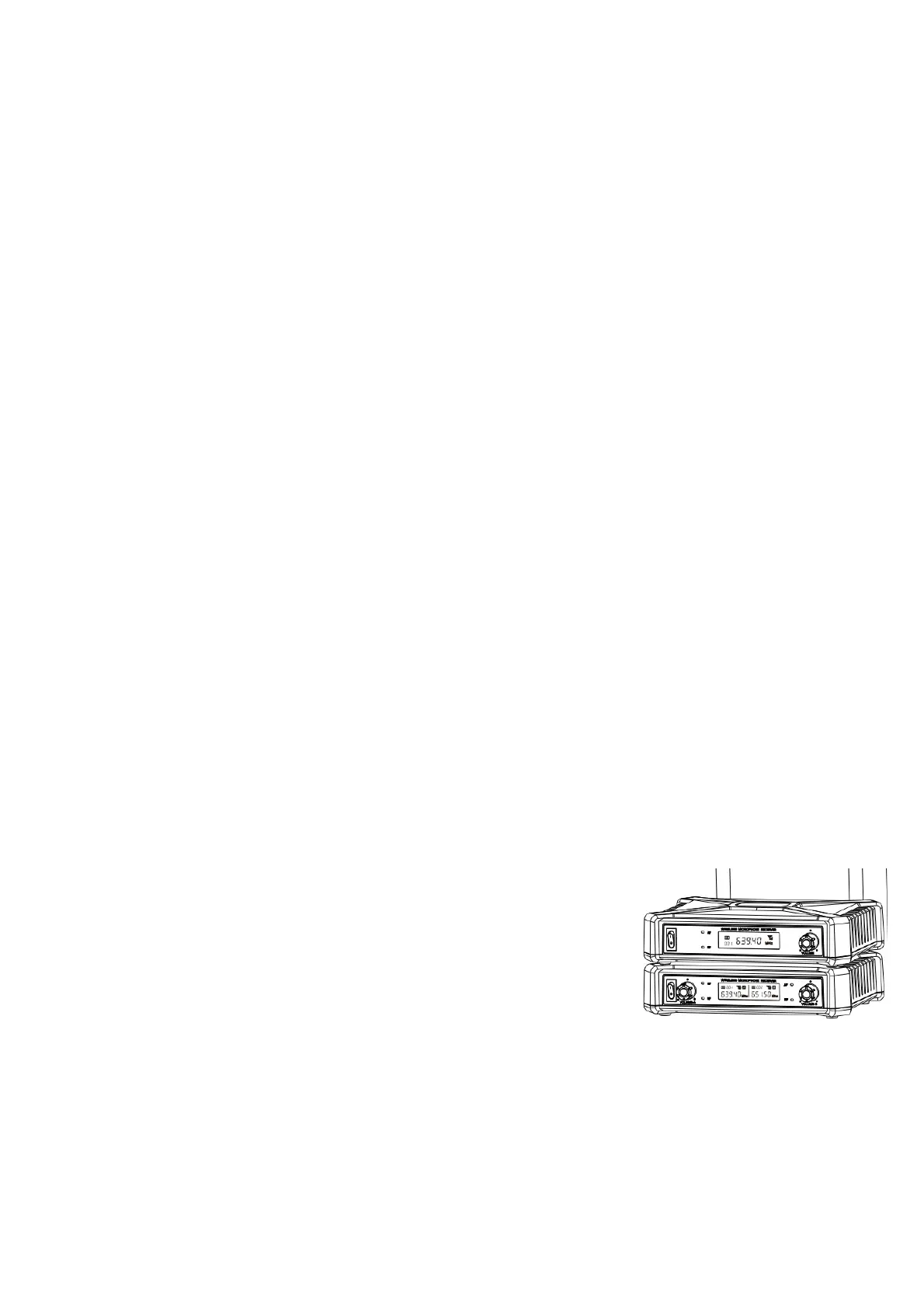
Display
The receiver screen displays a lot of practical information, some of which can
also be read on the microphone display screens.
The basic information includes the microphone frequency and microphone
channel. The frequency of this kind of microphone system cannot be adjusted.
Microphone Technique
A microphone is not a complicated device. Anyone can speak into a microphone and the device will ensure
that the sound is sent to any connected external audio equipment. But, to ensure optimum sound quality and
prevent causing damage to any external audio equipment, using the correct microphone technique is
essential.
Make sure that the microphone is held securely by the body. The body is the part of the microphone
extending from the battery compartment to the base of the microphone grille. Ideally, the microphone needs
The information included in this user manual is subject to change at any time and without notification:
Version:
1.0
Date and author initials: 04-08-2020 RV Revision and author initials: -


 To Next Page
 Loading...