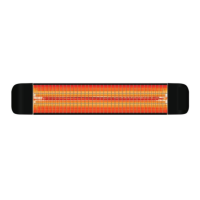
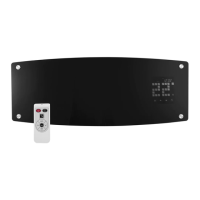
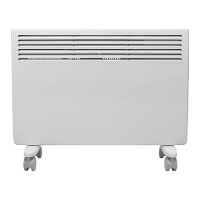
This document serves as a user manual for the Devola Wi-Fi Patio Heater, available in various models for both UK and EU markets. It provides comprehensive instructions for safe operation, installation, and maintenance, along with details on its smart features and remote control functionality.
Function Description
The Devola Wi-Fi Patio Heater is designed to provide warmth in outdoor and indoor spaces. It operates on a 220-240V AC power supply and features a heating element that emits infrared heat. The heater is equipped with Wi-Fi connectivity, allowing for remote control and smart operation via a dedicated mobile application. It offers multiple heating gear levels and a wide temperature setting range, making it adaptable to various environmental conditions and user preferences. The device incorporates several safety features, including protection against overheating and a robust design to prevent direct contact with the heating element.
Usage Features
The heater can be controlled directly via its integrated display and buttons, or remotely using the provided remote control or the "Smart Life" mobile application.
Direct Control and Remote Control:
- On/Off Functionality: The heater can be switched on and off using the dedicated On/Off button on the device or remote.
- Heating Gear Selection: Users can select from four different heating gear levels to adjust the intensity of the heat output. The current gear level is indicated on the display.
- Temperature Setting: The temperature can be set within a range of 5 to 45 degrees Celsius using the Up/Down buttons.
- Timer Function: A timer can be set for automatic shutdown, with a range of 1 to 24 hours. The timing indicator illuminates when the timer is active.
- Display Options: The display can be configured to show only the temperature or only the heating operation icon.
- Intelligent Heating Mode: By pressing the Smart heating button, the heater enters an intelligent heating mode where the gear position automatically adjusts based on temperature changes. A "Smart" icon illuminates on the display when this mode is active.
- Child Lock: A child lock feature can be activated by pressing the Set button followed by the Child lock button, preventing unintended operation. The same sequence unlocks the device.
- Body Sensor Mode: The heater can operate in a body sensing mode, where it heats up when a moving object is detected. If no movement is detected for two minutes, the device stops heating. An indicator illuminates when this mode is active.
- Temperature Unit Switching: The temperature unit can be switched between Fahrenheit and Celsius by pressing the Set button followed by the Up button.
- Wi-Fi Reset: The Wi-Fi settings can be reset by pressing the Set button followed by the Down button.
- Open Window Detection: This function can be activated by pressing the Set button followed by the power select button. When active, the 'WO' icon illuminates. The device stops heating if the ambient temperature drops by 3 degrees within two minutes, indicating an open window.
Wi-Fi Operation (Smart Life App):
- App Download and Installation: Users can download and install the "Smart Life" app by scanning a QR code or searching in their device's app store.
- Account Registration/Login: Users need to register an account or log in with existing credentials.
- Device Pairing: To add the heater, users select "Add Device" or the "+" icon, navigate to "Small Home Appliances," and choose "Heater."
- Network Configuration: The app guides users to confirm that the indicator light on the heater is rapidly blinking. Users then enter their 2.4GHz Wi-Fi network and password (5GHz networks are not supported).
- Connection: For successful pairing, the heater, mobile device, and router should be in close proximity. If connection fails, the Wi-Fi on the device can be reset. Once connected, the heater can be controlled remotely via the app, offering all the functionalities available through direct control and the remote, with the added convenience of smart home integration.
Installation:
The heater can be installed horizontally or vertically, ensuring a minimum clearance of 1.8 meters from the ground and 0.5 meters from the ceiling and adjacent walls. Specific instructions are provided for mounting the heater using the supplied bracket, including drilling holes and securing the device to the wall. It is crucial to ensure the power cord does not touch the heater body and to use a weatherproof qualified outlet for outdoor installations. Installation should be performed by a qualified electrician.
Maintenance Features
Regular maintenance is essential to ensure the longevity and safe operation of the Devola Wi-Fi Patio Heater.
- Cleaning: The exterior surface of the heater is the only part that requires cleaning. It should be wiped with a wrung and damp cloth. Strong abrasives or solvent cleaners should be avoided as they can damage plastic parts.
- Heating Element Care: The heating element should not be touched with bare hands, as residues can affect its lifespan. If accidentally touched, marks should be removed with a soft damp cloth.
- Storage: When not in use, especially for extended periods or in humid/high salinity areas, the heater should be cleaned, dried, and stored in safe packaging in a dry place, out of reach of children.
- Professional Cleaning: If the inside of the heater or the heating element is covered with dust or dirt, it must be cleaned by a qualified service provider. The heater should not be operated in this condition.
- Safety Precautions During Maintenance: Always disconnect the heater from the power supply and allow it to cool completely before cleaning or performing any adjustments to avoid burns.
- No User-Serviceable Parts: Users should not attempt to repair or adjust any electrical or mechanical functions of the heater. If the heater is damaged or defective, it must be returned to the retailer for service.
- Power Cord Inspection: Regularly check the power cord and plug for wear or damage. Damaged wires, plugs, or loose sockets should not be used. The heater should never be used if it has failed, been discarded, or damaged for any reason. If the power cord is damaged, it must be replaced by the manufacturer, service department, or a qualified professional to avoid danger.

 Need help?
 General

 To Next Page