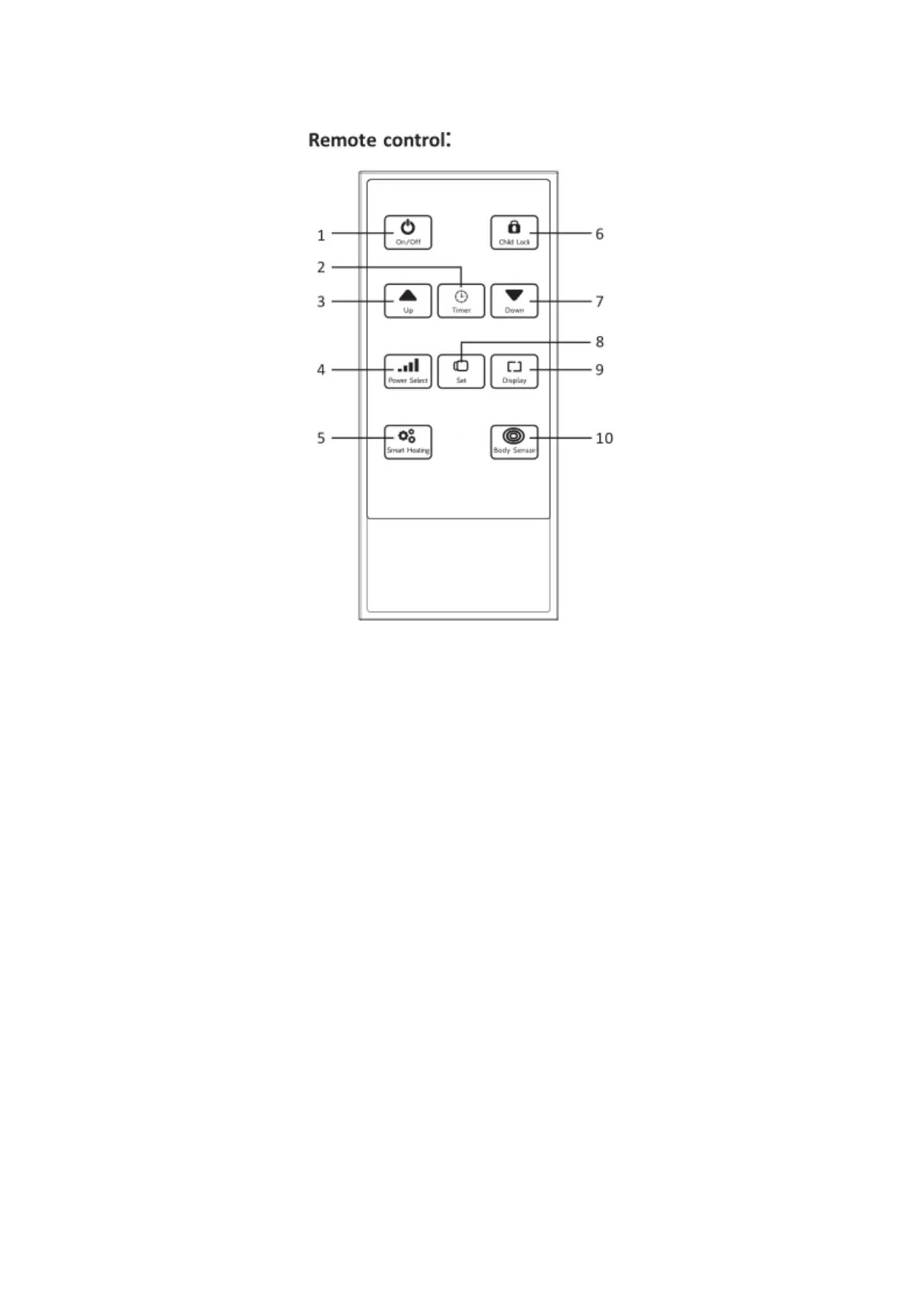
1. On/Off button
2. Timer button
3. Up button
4. Power Selection button
5. Smart heating button
6. Child Lock button
7. Down button
8. Set button
9. Display button
10. Body Sensor button
Device Operation:
The following operations are suitable for:
DVPH1200B/DVPH2000B/DVPH2400B/DVPH12BEP/DVPH20BEP/DVPH24BEP
1. Plug the heater power cord into the socket that matches the voltage and current of the body
nameplate.
2. Press the On/Off button to switch the heater on, the display will illuminate.
3. Press the power select button to select the heating gear, there are a total of four gear powers.
The gear position indicator on the display indicates the current heating gear level.
4. Press the Up/Down buttons to select the temperature. The temperature setting range is
5-45 degrees.



 To Next Page