20 dLAN pro network
devolo dLAN pro 1200+
The following section contains exact instructions of en-
cryption on the basis of possible network scenarios:
dLAN devices cannot be configured
while in Standby mode.
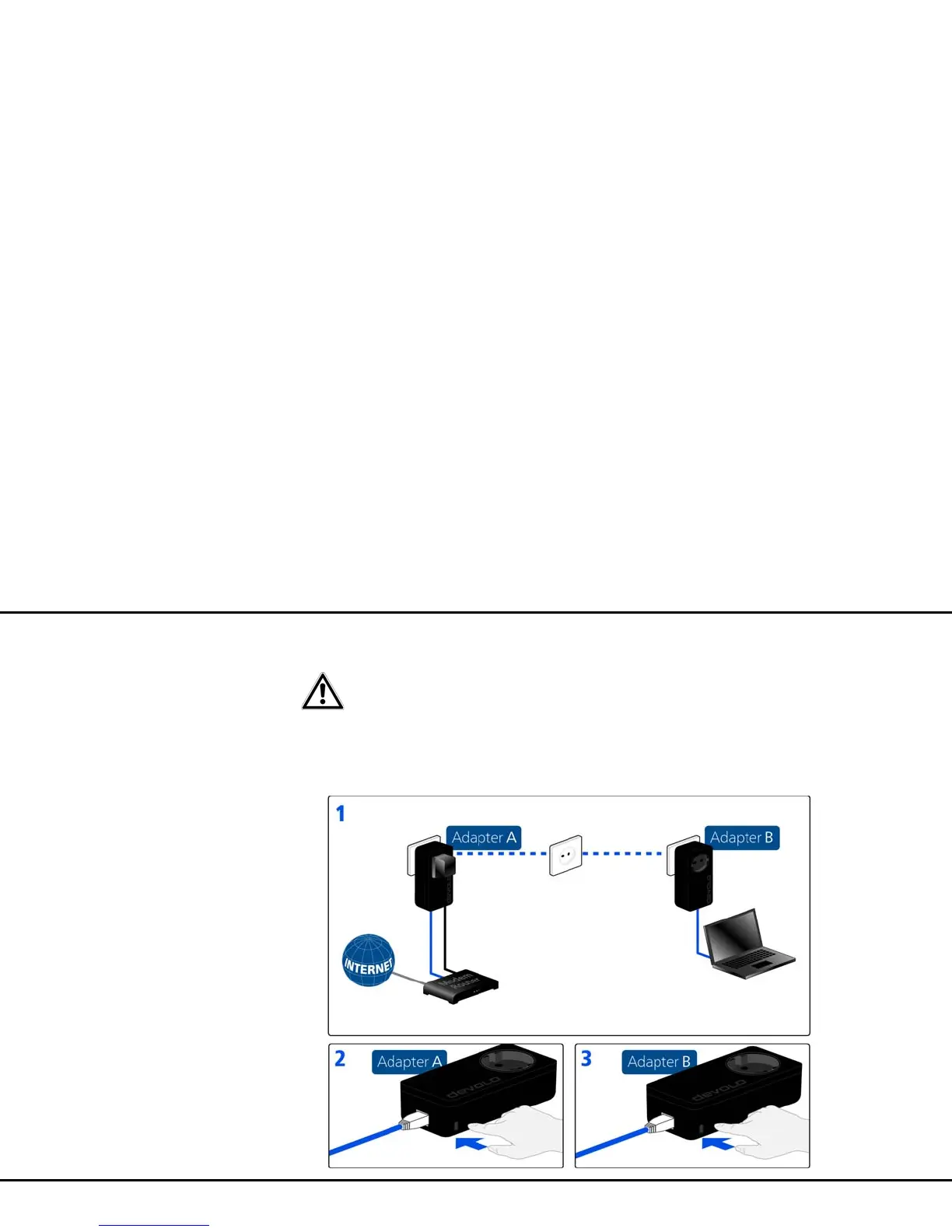
Encrypting a new dLAN pro network with a
dLAN pro 1200+ and an additional dLAN pro
device
Once both dLAN pro devices have been successfully
connected, press each encryption button for >one sec-
ond within two minutes of one another.
That's it! Your dLAN pro network is now protected
against unauthorised access.













 To Next Page