EasyManua.ls Logo

Devolo GIGAGATE - Page 20

Devolo GIGAGATE
32 pages
Print Icon
To Next Page IconTo Next Page
To Previous Page IconTo Previous Page
Loading...
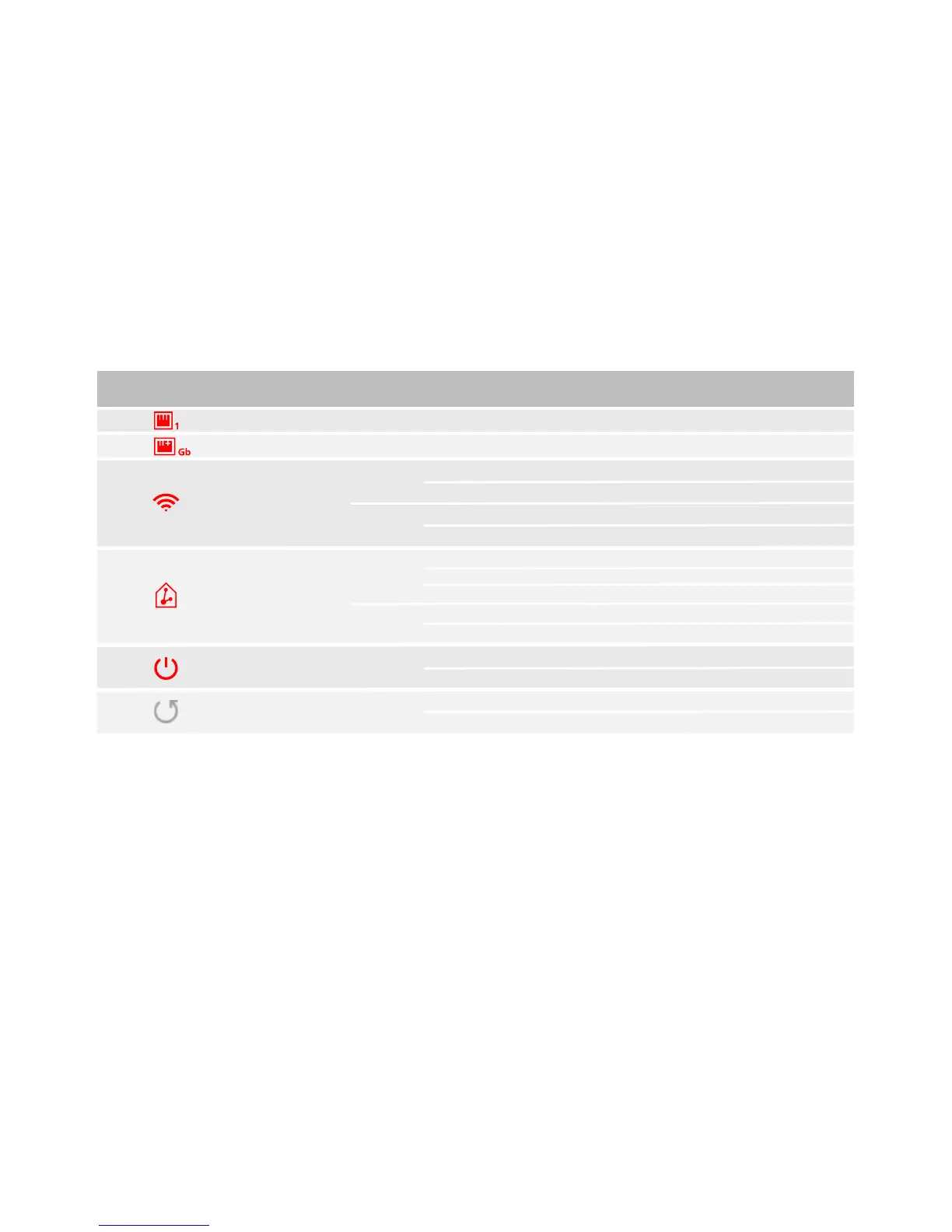
Wi-Fi on
No connection
Connection set-up
Connection quality
Boot process
Ready to operate
LED lights up white
LED lights up white
LED lights up white/red
WPS mode
LED ashes white
LED ashes white
LED ashes white
LED ashes red
LED lights up white
LED lights up white
Ethernet port 1-4
Gigabit port
Wi-Fi
Base/Satellite
connection
Power
GB
LED/Button
Gigabit port connected
Ethernet port connected
Run WiFi Clone
Remove device from the network
Hold down (>3s)
Hold down (>10s)
Start WPS function
Start pairing
Press briey
Press briey
LED
LED
LED
LED
LED
Button
Button
Button
Reboot the device
Reset to factory defaultHold down (until Power LED ashes)
Press briey
Reset

Other manuals for Devolo GIGAGATE

Related product manuals