26 | 27
Length of button press Function LED behaviour
3-9seconds TheWiFiRepeateracisconnectedtotherouter. ThebottomLEDontheWiFidisplayashesquicklyforamax.of2minutes.
1-3seconds Amobiledeviceisconnectedtotherepeater. ThebottomLEDontheWiFidisplayashesquicklyforamax.of2minutes.
>10seconds Allsettingsareresettothefactorydefaultsettings. ThetopfourLEDsontheWiFidisplayashbriey.TheLEDlightssubsequentlyswitchoandthedevice
restarts.
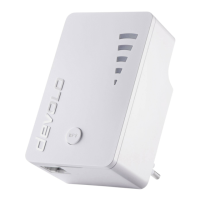
LED behaviour Status: The devolo WiFi Repeater ac ...
ThebottomLEDontheWiFidisplayisilluminated. ...isinthestart-upprocessforamax.of40seconds.
ThebottomLEDontheWiFidisplayashesslowly. 1. ...isinanunconguredstate.
2. ...isconguredviathewebbrowser.
3. ...isnolongerconnectedtotherouteraftertheconguration.
ThebottomLEDontheWiFidisplayashesquickly. ...isbeingconguredviatheWPSbutton.
TheLEDsontheWiFidisplayareilluminatedcontinuously. 1. ...isconguredsuccessfully.
2. ...hasbeensetupsuccessfullyandisactive.Dependingonthesignalstrength,upto5LEDindicatorsof
theWiFiwavesymbollightup.ThreeilluminatedLEDindicatorsareindicativeofanoptimallocation
forthedevoloWiFiRepeaterac.
3. ...isinaccesspointmode:All5LEDslightup.
WPS button
Behaviour of the device LEDs
| GB |


 To Next Page