10
Button
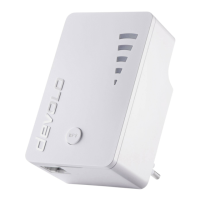
LED The devolo WiFi Repeater+ ac ... LED behaviour
Duration of the
button press
Action LED behaviour
Lights up red
Flashes red
Lights up white
Flashes white and red
1-2 sec. The repeater is connected to the router.
... is in the start-up process for a max. of 80 seconds.
... the connection to the originating Wi-Fi has
been lost, please check e.g. your routers Wi-Fi.
... is being congured via the WPS button.
1. ... is configured successfully.
2. ... has been set up successfully and and the
connection is in a good state.
3. ... is in access point mode.
... the data transmission rate is not in the optimal
range. (check the app for more information)
Flashes slowly for a max. of 2 min.
Flashes slowly white
Wi-Fi button
Wi-Fi LED The devolo WiFi Repeater+ ac ... LED behaviour
Duration of the
button press
Action
... is ready to be used by mobile devices.
LED behaviour
Lights up white
Flashes white
O
1 sec. WPS function is being carried out
... is attempting to establish a connection via WPS.
... no longer has any LED function since it was disabled
by the user.
* Download manual for further information (see p. 11).
Flashes white
... the device is performing an Firmware update.
Flashes quickly
9






 To Next Page