
 To Next Page

A
Amanda HuberAug 12, 2025
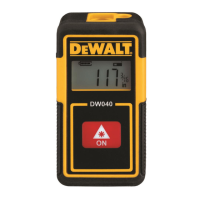
What to do if DeWalt DW040 display overflow?
- Ggary73Aug 12, 2025
If the display shows an overflow error on your DeWalt Measuring Instruments, try switching to metric units and repeat the measurement.

What to do if DeWalt DW040 display overflow?
If the display shows an overflow error on your DeWalt Measuring Instruments, try switching to metric units and repeat the measurement.
What to do if DeWalt Measuring Instruments gives an incorrect reading?
If your DeWalt Measuring Instruments provides an incorrect reading, try changing the target surface. For example, place a white paper on a glass door.
What to do if DeWalt DW040 Measuring Instruments is outside of range?
If your DeWalt Measuring Instruments is displaying an out-of-range error, ensure you stay within the specified working range of the device.
What to do if DeWalt Measuring Instruments LDM is too hot?
If the LDM (Laser Distance Meter) in your DeWalt Measuring Instruments is too hot, let it cool down before using it again.
What to do if DeWalt DW040 Measuring Instruments has a weak signal?
If your DeWalt Measuring Instruments shows a weak signal, try changing the target surface. For example, place a white paper on a glass door.
What to do if there is too much background light when using DeWalt DW040?
If there's too much background light affecting your DeWalt Measuring Instruments, try to shadow the target area to improve the reading.
What to do if the laser beam is interrupted when using DeWalt DW040?
If the laser beam is interrupted while using your DeWalt Measuring Instruments, repeat the measurement.
What to do if DeWalt Measuring Instruments LDM is too cold?
If the LDM (Laser Distance Meter) in your DeWalt Measuring Instruments is too cold, warm it up before use.
Instructions for securely fastening the wrist strap to the tool.
Steps for charging the tool's internal battery before initial use.
How to switch between different measurement units on the display.
Procedure for taking a new measurement after a previous one.
Methods to power down the laser distance measure.
 General
| Brand | DeWalt |
|---|---|
| Model | DW040 |
| Category | Measuring Instruments |
| Language | English |