03
5. Switching Mode Indication
The current mode is shown on the display as "ON", "AUTO ON", "OFF" or
"AUTO OFF" together with the current time of day. Press the "MANUAL"
button to adjust to the desired mode.
6. Manual Override Setting
7. Daylight Saving Time (DST)
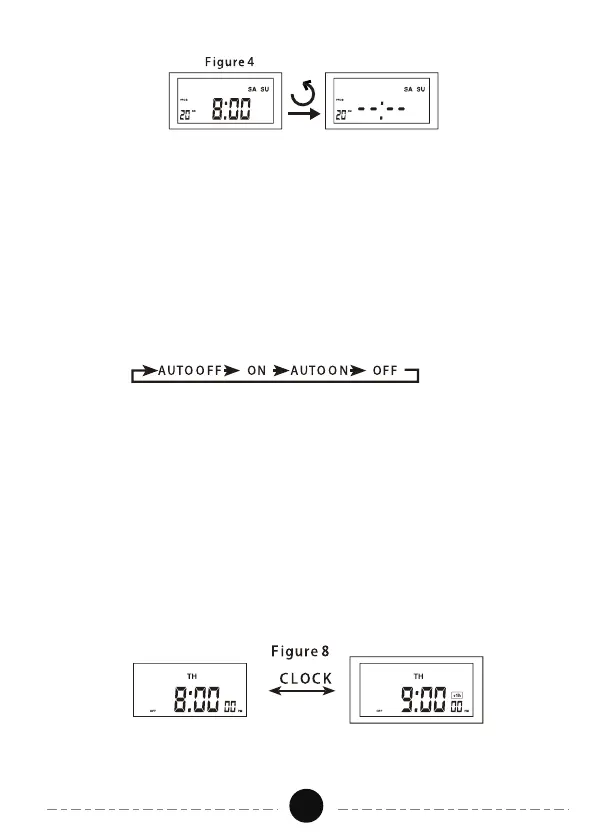
As independent programming, it is possible to switch between the 4 modes
in a certain order at any time by pressing the "MANUAL" button, as shown
below:
ON = Timer is always ON.
OFF = Timer is always OFF.
AUTO ON = Timer is currently ON. ON/OFF program is running.
AUTO OFF = Timer is currently OFF. ON/OFF program is running.
Press and hold the "CLOCK" button for 3 seconds to move the current time
1 hour forward and the“+1h” icon will appear on the display.
Press and hold the "clock" button for 3 seconds again to move the current
time 1 hour back and the “+1h” icon will disappear. See Figure 8.


 To Next Page