
 Need help?
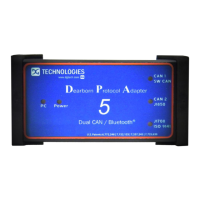
Do you have a question about the DG Technologies DPA 5 Series and is the answer not in the manual?
Lists the communication standards and protocols supported by the DPA 5 adapter for vehicle diagnostics.
Specifies the minimum hardware and software configurations required for PC compatibility with the DPA 5.
Step-by-step instructions for installing the necessary drivers for the DPA 5 on a personal computer.
Guides on physically connecting the DPA 5 device to the PC and the vehicle's diagnostic port.
Guidance on selecting the correct RP1210 compliant adapter within various OEM diagnostic applications.
Configuration steps for using the DPA 5 with Allison DOC diagnostic software.
Configuration steps for using the DPA 5 with Cummins INSITE diagnostic software.
Configuration steps for using the DPA 5 with Volvo/Mack PTT diagnostic software.
Process for establishing a new RP1210 DeviceID for Bluetooth usage with the DPA 5.
Details on the physical dimensions, power requirements, and electrical characteristics of the DPA 5.
Introduction to the DG Update utility for keeping drivers and software current.
Explanation of the automatic firmware update functionality for the DPA 5.
Guidance on using the AVT to diagnose and validate DPA 5 installation and function.
Steps for launching AVT and selecting the correct vehicle protocol for testing.
Covers common issues and solutions when using AVT with Medium/Heavy Duty vehicles.
Covers common issues and solutions when using AVT with OBDII vehicles.
Contact details for DG Technologies technical support.
Specifics of the warranty coverage for the DPA 5 product.
 General
| Model | DPA 5 Series |
|---|---|
| Category | Diagnostic Equipment |
| Manufacturer | DG Technologies |
| RP1210 Support | Yes |
| Protocols Supported | J1939, J1708, J1587, ISO15765, ISO14229, KWP2000 |
| PC Interface | USB |
| Operating Temperature | -20°C to +70°C |

 To Next Page
