MA_ENG_Bluetooth Installation Manual_Rev 1508 5
In the previous picture a DGT e-Board with serial number 20962 is already installed and connected via Bluetooth.
Your e-Board however still needs to set-up the wireless Bluetooth connection. Make sure that the DGT e-board is
powered up and not too far from your computer.
Important: It is not possible to define the maximum distance between your e-Board and computer due to various
parameters like building construction, magnetic fields or other wireless devices that may disturb the Bluetooth
connection of your e-Board. Normally a distance less than 10 meters should cause no problems.
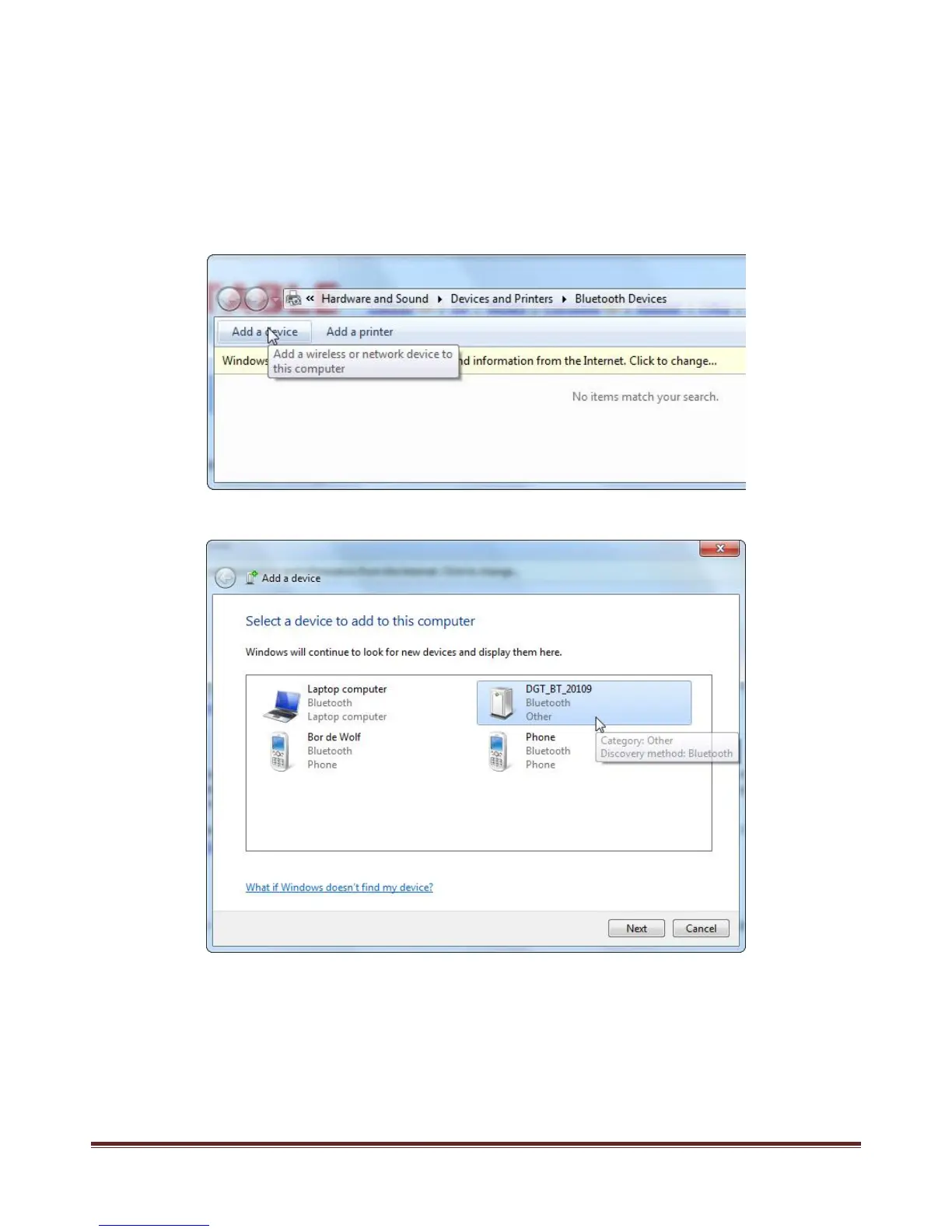
To set-up your connection click on the “Add device” TAB as shown below. Windows will search for new devices
including DGT Bluetooth devices as, in this case, your e-Board.
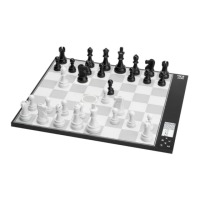
Now Windows will show all available Bluetooth devices found and within range:
Click on the DGT_BT_XXXXX icon. The X’s represent the serial number of your DGT board.


 To Next Page