MA_ENG_Bluetooth Installation Manual_Rev 1508 8
Your Bluetooth dongle (USB stick) will also have an assigned incoming COM port number. This port is not used and
may lock-up your Bluetooth connection if used. Please remove this incoming COM port number as described below.
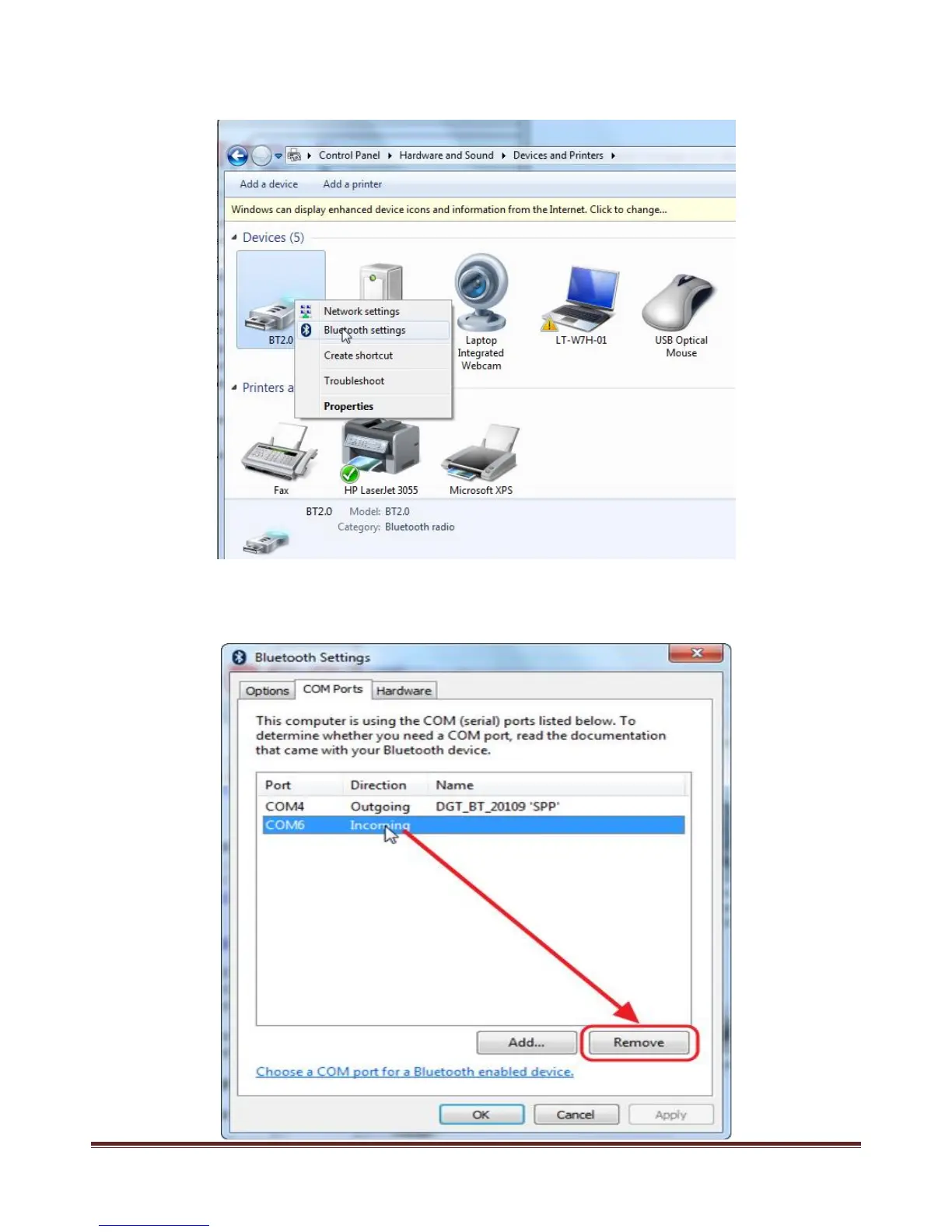
Just right-click on the Bluetooth dongle icon and choose “Bluetooth settings” from the context menu.
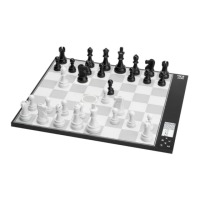
Choose the COM port TAB. You will normally see 2 COM ports. Select the COM Port with the “Incoming” direction
which doesn’t have a name. Click on the “Remove” button to remove the incoming port.


 To Next Page