
 To Next Page
N
Nancy SmithAug 6, 2025
What to do if the Diagon Laboratory Equipment software is frozen?
- JJames DiazAug 6, 2025
If the Diagon Laboratory Equipment software repeatedly freezes, switch it off and restart it.

What to do if the Diagon Laboratory Equipment software is frozen?
If the Diagon Laboratory Equipment software repeatedly freezes, switch it off and restart it.
What to do if there is an abnormal start or stop of measurement in Diagon Laboratory Equipment?
If you experience an abnormal start or stop of measurement with all assays on your Diagon Laboratory Equipment, check with a standard (PT) assay and a normal sample.
What to do if the temperature regulation fails in Diagon Laboratory Equipment?
If the temperature regulation fails on your Diagon Laboratory Equipment, switch it off.
How to troubleshoot controls out of range on Diagon Laboratory Equipment?
If the controls are out of range on your Diagon Laboratory Equipment, check if the issue is caused by the instrument, reagent, or method.
Provides legal information, disclaimers regarding data representation, and terms of use.
Outlines the warranty provided for the instrument, aligned with national regulations.
Symbols used in data tables for identification and information.
Symbols indicating usage or properties of accessories.
Symbols indicating handling and storage requirements for the packaging.
Specifies the intended use of the Coag 2D analyzer and operational requirements.
Provides general information regarding unboxing, installation, setup, and troubleshooting.
Guidelines for positioning the instrument in a suitable environment for optimal operation.
Specifies electrical requirements for safe connection and operation of the instrument.
Information on preventing accidents and injuries, including laser safety precautions.
Important precautions regarding biological hazards, waste handling, and personal protection.
Guidelines for safe handling, storage, and use of reagents.
Describes the process of determining clotting time using light scattering.
Explains the principle of measuring turbidity for tests like D-Dimer.
Details the principle of chromogenic assays and result calculation.
Lists the technical specifications of the Coag 2D instrument.
Describes the top and rear views of the instrument and its main parts.
Specifies the environmental and space requirements for instrument installation.
Details how to connect the instrument to the power supply.
Describes how to perform initial checks after installation.
Details how to configure parameters for nephelometric tests.
Guides on setting up parameters for turbidimetric and chromogenic tests.
Lists the various options available within the System menu.
Explains where error flags generated during measurements are displayed.
Covers the preparation and handling of reagents, controls, and consumables.
Details the elements of the measurement screen and how to enter sample IDs.
Describes how to calibrate clotting tests, including reagent and barcode entry.
Explains how to calibrate turbidimetric tests using concentration and ΔOD values.
Details calibration for chromogenic tests using percentage and OD/min values.
Instructions on creating a dilution series for calibration curve determination.
Explains how to use the filter function to narrow down displayed results.
Describes how to view detailed information for a specific test result.
Details the actions available from the Action menu, such as printing or exporting.
Explains how to set target values and parameters for QC materials.
Describes how to initiate and perform a QC measurement.
Explains how QC results are displayed and processed.
Details the procedure for cleaning the instrument's measuring unit.
Provides instructions for cleaning the instrument's display screen.
Instructions for cleaning the external housing and power supply unit.
Lists common errors, user actions, and when to contact service.
Information on the proper legal disposal of the instrument.
Details the meaning of various error codes and flags.
Table outlining reagent usage for specific clotting tests.
Describes the parameters, format, and length of the serial data.
Details the process of downloading and installing new software versions.
 General
| Brand | Diagon |
|---|---|
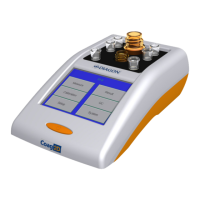
| Model | Coag2D |
| Category | Laboratory Equipment |
| Language | English |