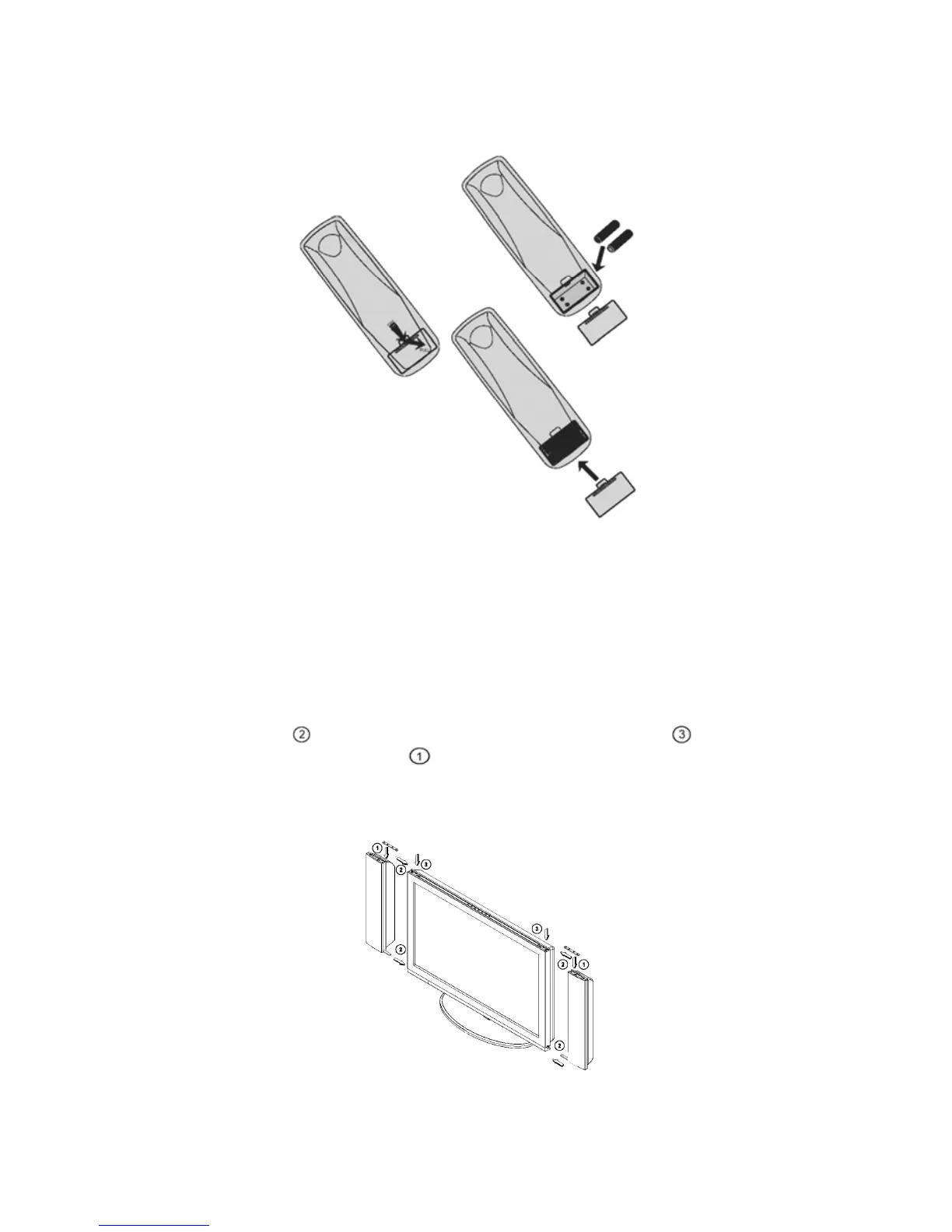
3. Remote control:
Remove the cover of the battery compartment. Insert the 2 batteries
supplied (Type AAA 1.5V).
4. Power:
Insert the power cord in the wall socket having an AC power supply.
5. Turn the TV on:
Press the power button at the top of the TV to turn it on.
If the TV is in power off, the indicator in front of the TV illuminates amber.
6. How to assemble speakers:
Step 1: Ues
(in accessory box) lock to TV noumenon .
Step 2: lock speaker as
.
Step 3:connect speaker to TV.
Please refer to the graph .
5



 To Next Page