ChargeyourSensor
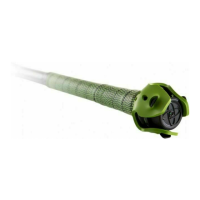
Removethesensorfromthesensormount.
Plugthechargingstationintoapowered
USBport.PlacetheSwingTrackerinthe
centerofthechargingstation.Thesensor
lightwillchangefromablinkingredtoa
solidgreenlightwhenfullycharged.
NeverforceachargecableintotheUSBportofyourSwingTracker
chargingstation.Ifthechargecontactdoesnoteasilyfit,confirm
thattheyareproperlyalignedbeforeattemptingtoinsertagain.
ONLYusetheUSBchargingcableprovidedtochargeyour
SwingTrackersensor.DiamondKineticsisnotresponsibleforthe
operationofthirdpartyaccessories.
CheckBatteryLifeandPower
TurningTheSensorOn:Withthesensorattached,tapthebottomofbatonthe
groundtwicetoturnonthesensor.Youwillseeagreenlightflashrapidlyifnot
paired.ThelightwillflashslowlywhenpairedtoaniOSdevice.
DetermineBatteryCharge:Abatteryindicatorislistedatthetopofthe
SwingTrackerappscreenwhenyouarepairedwiththeappcollectingswingdata.
Thesensorwillblinkredandappwillalertyouwhenthebatteryislow.
SleepMode:Thesensorwillgointosleepmodeandthelightwillstopblinkingif
youstopusingitforfiveminutes.Itwillautomaticallywakeupandthegreen
powerlightwillturnononcethesensorispickedup.
TurningTheSensorOff:Thesensorwillturnoffautomaticallyifthesensordoes
notmovefor15minutes.
Thebatterywilllastupto7hourswithcontinuoususe.
SWINGTRACKERAPP
DownloadtheMobileApp


 To Next Page
 Loading...