StartaSwingSession
Tostartyourfirstswingsession,selectSwingAwayonthebottomrightofthe
screen.
Youwillthenbeaskedtoprovidethedetailsofyourcurrent
swingsession.YoumustselectaBatandLoadPositionto
takeswings.TheSwingTrackerappwillguideyoutoset
yourLoadPosition.
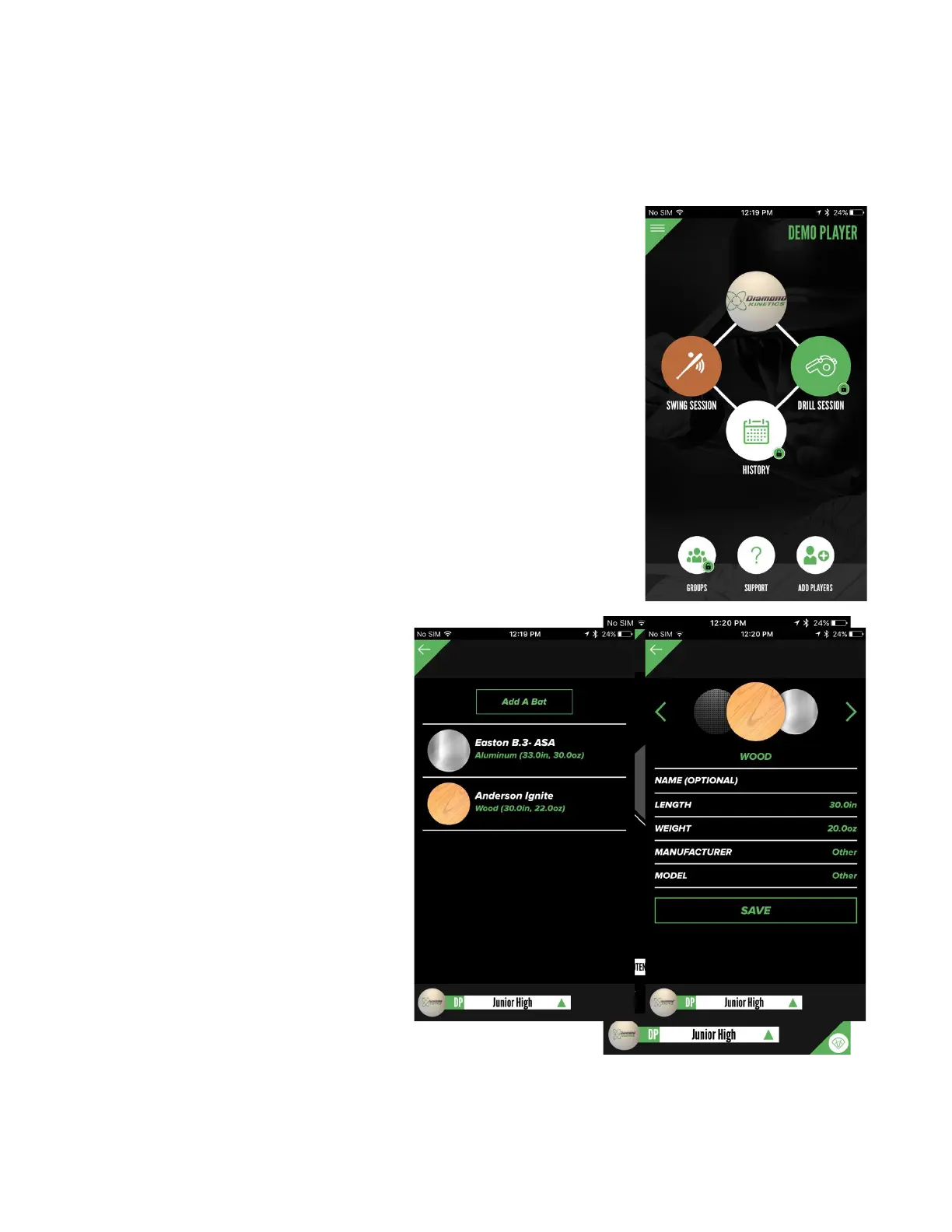
WhenselectingBat,you
canselectanexistingbat
orAddANewBat.Once
youselectallofthedetails
ofyournewbat,select
Savetousethebatin
futurebattingsessions.
Tip:Ifyoudonotseeyour
batModelorManufacturer
listed,selectother.
Werecommendsetting
yourstandardLoad
Position.Thiswill
enhancetheaccuracyof
yourdata.
OnceenteringalloftheSession
Settinginformation,selectCONTINUEatthebottomof
theSessionSettingsscreen.
YoucannowSwingAway.


 To Next Page