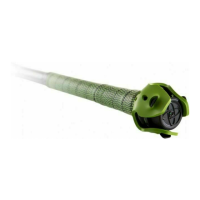
Yourswingswillautomaticallyappearintheswingsession.Youcanalso
captureswingvideowhiletakingswingsbyselectingVideoCapture.
Whilecollectingdata,youcanalsoclickonaSwingandthenselecttheright
menutoviewSummary,Detail,and3DViewerdataofswingsinthesession.
Makesurethatthepersontakingvideoisatasafedistancefromhitter
duringthebattingsession.
SelectEndSessiontostopcollectingdataforaswingsession.Youcanview
againitatanytimeunderHistoryontheSummaryscreen.Youwillseea
diamondthatrepresentseveryswingintheSwingSession.
DKTip:Hereareafewtipstocapturethebestdata:
● Gettoyournaturalloadpoint
● Pausethebatforasecondortwobeforetakingaswing
● Donotmovethebatexcessivelywhencapturingswings
SWINGTRACKERSWINGMEASURES
YourSwingTrackersystemmeasuresfourkeymetricsrelatedtoyour
swingSpeed,Power,QuicknessandControl.Thesemetricsarethen
rankedagainstthedatabaseofswingswithinyourskillrange.
Inaddition,youareabletoseeyourPotentialExitVelocityandPotential
HittingDistance.
DKTip:Clickonthe tosee detailedsummariesthatexplaineach
swingmetric.Clickonanyblueflashinglighttoseeatip.
SENSORCARE
INSTRUCTIONS
Moisture
TheSwingTrackersensoris splashproof,
howeversignificant exposuretowater
maycausedamagetoyour sensor.
● Donotuseyour sensorintherain.
● Donotspillanyfood orliquidonyour
sensor.
Ifyoursensorgetswet,dryit thoroughlybefore


 To Next Page
 Loading...