20
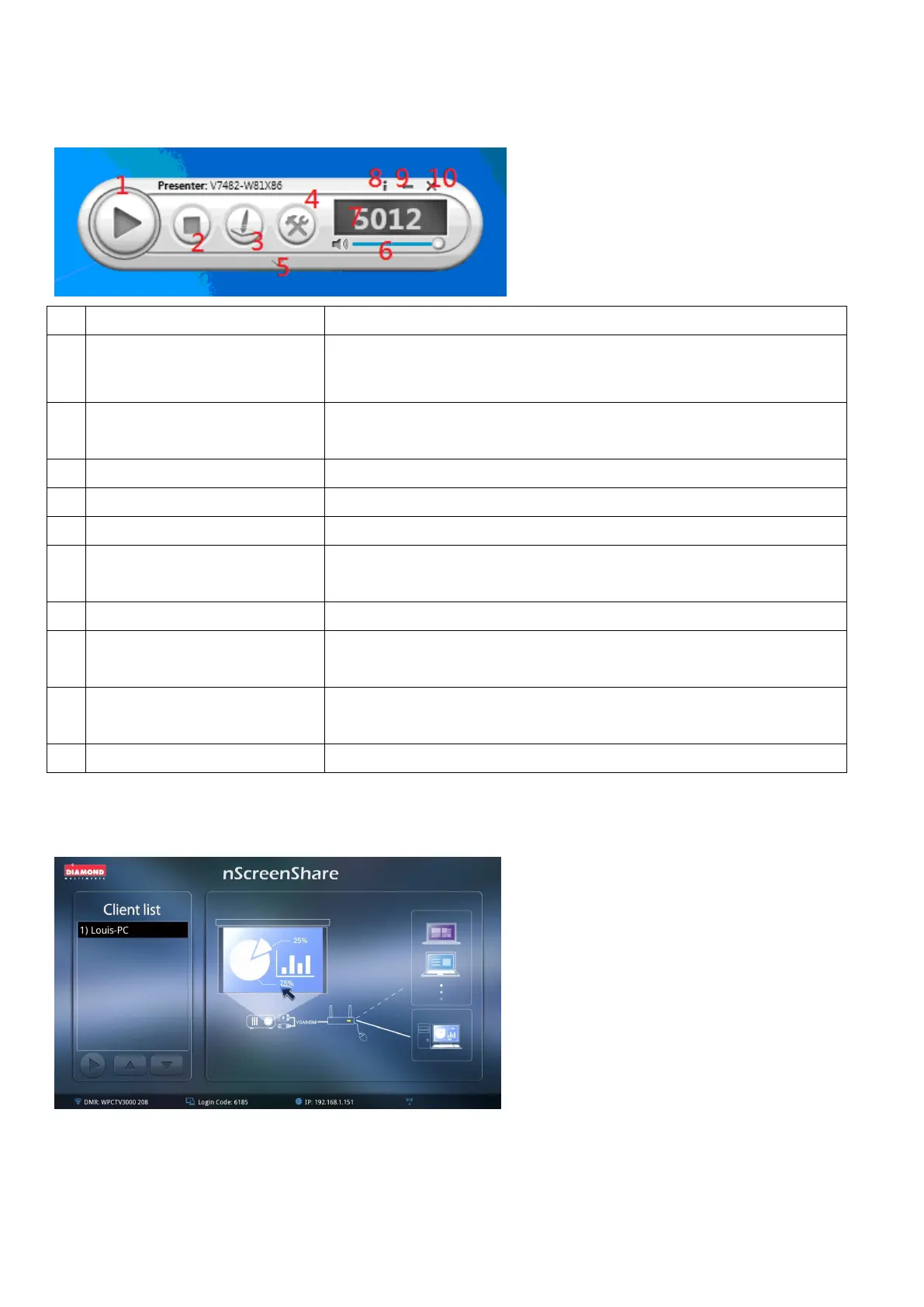
Admin mode control panel
Start / pause presentation. If paused, a current presentation or
stream will freeze.
Stops a current presentation or stream and will go back to
instruction page.
To start the new sheet for notes taking or on the current slide
Show the application login code.
Control the slide bar to change the volume. Press the icon to
mute.
Minimize and close the Application Software window. Information
Information/Minimize/Close
Start / pause presentation. If paused, a current presentation or
stream will freeze.
Stops a current presentation or stream and will go back to
instruction page.
To start the new sheet for notes taking or on the current slide
5. Click OK to enter as Administrator
Once logged in, you will see the below image on screen
As soon as there are other clients joining in the conference, you will be able to select the designate one
to project their image. You will see the list of options as below. Double click on the one that you wish to



 To Next Page